When something looks wrong, use Send Feedback in the app first, and reach out to support second. Feedback sent from inside the product carries the app version, the platform you are on, and the screen you were looking at, so the team can act on it without a round of back-and-forth. An email starts from nothing; a feedback report starts from what you saw.
Where to find it
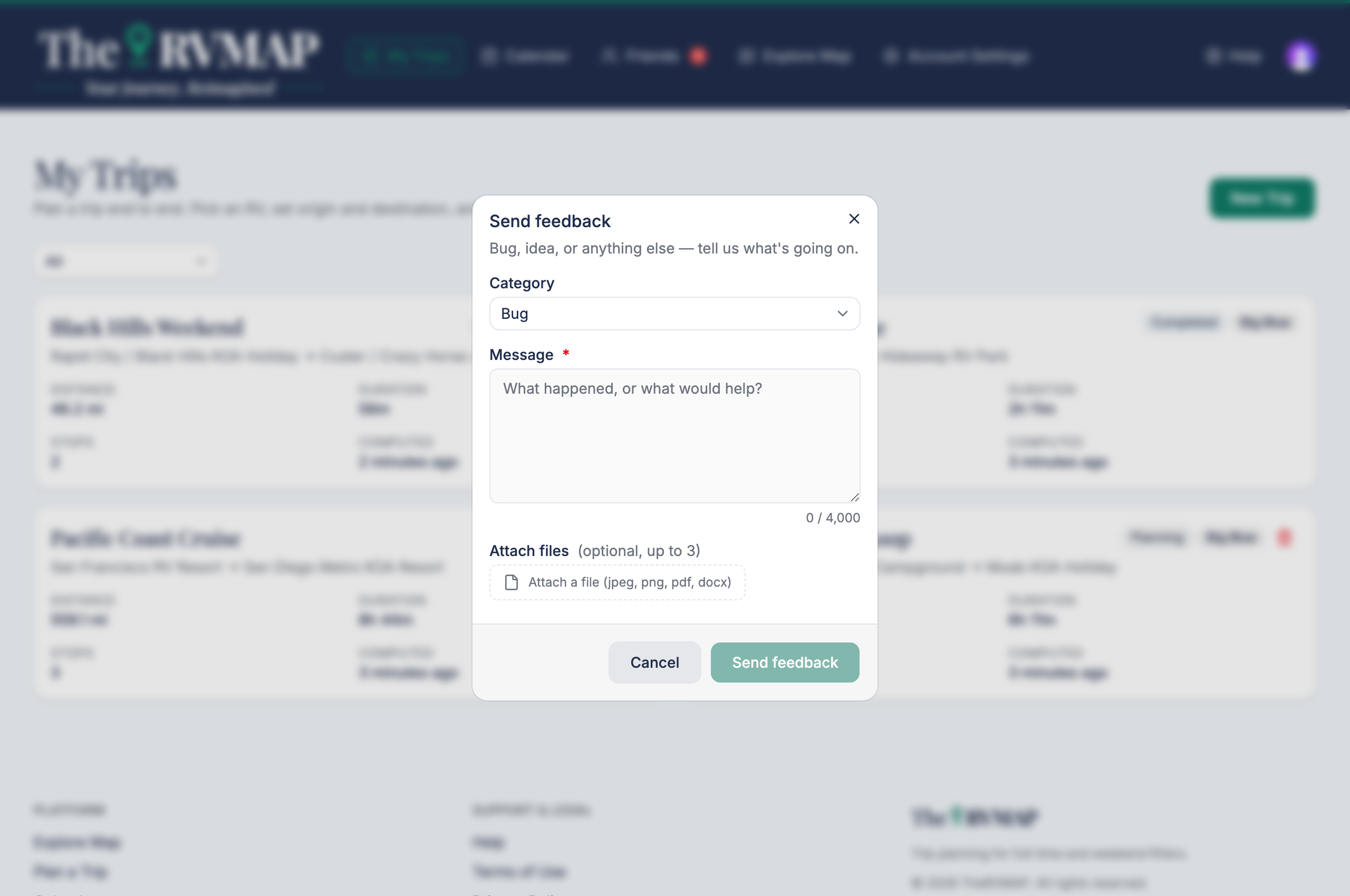
On the web, open the account menu under your avatar and choose Send feedback.
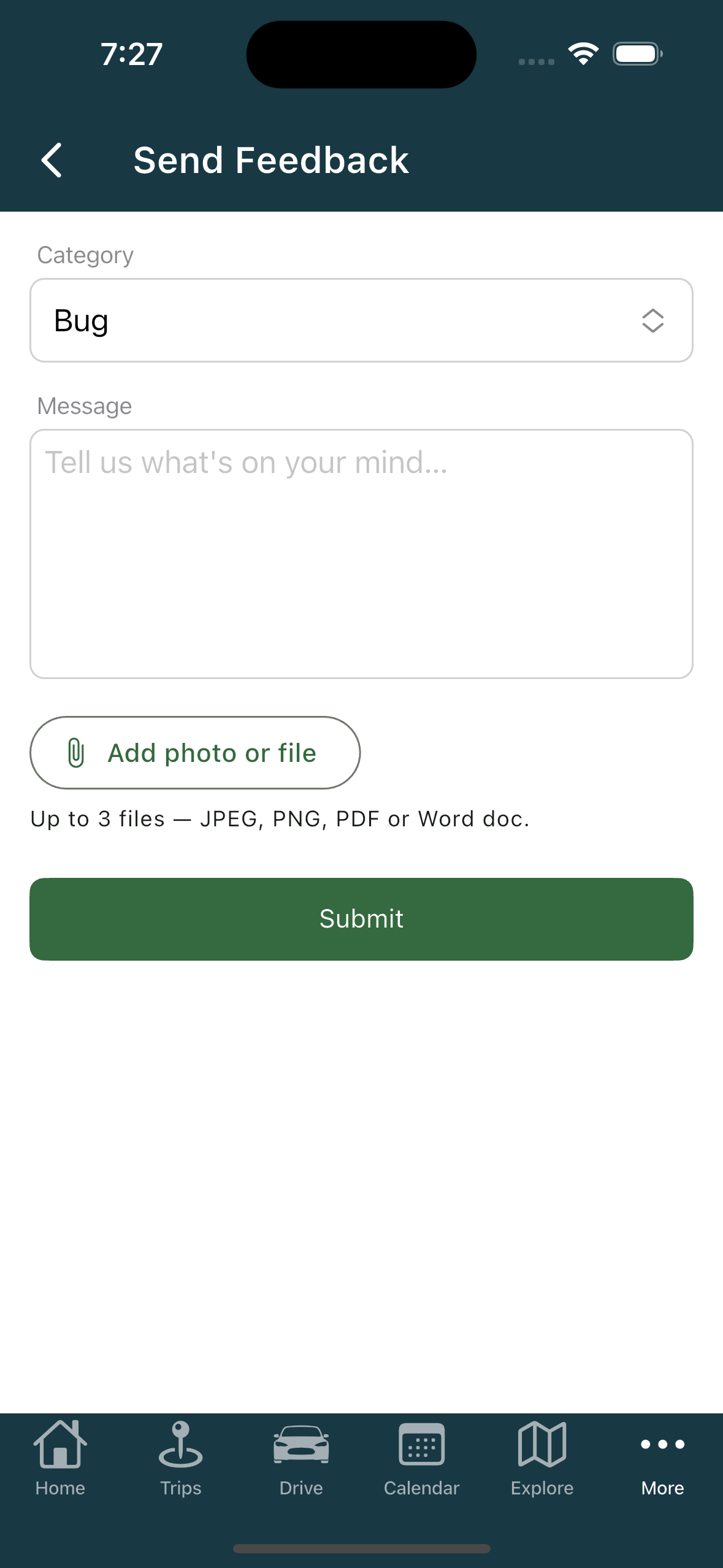
In the app, go to the More tab and tap Send Feedback.
What to include
- What you expected to happen.
- What actually happened.
- Where you were in the app when it happened.
A photo of the screen helps, and you can attach up to three files. That is usually all we need to track something down.
When to use support instead
Send Feedback is for bugs and ideas. Anything about your account, your billing or your access needs a conversation rather than a bug report, so use the support centre for those. It can pick up where a form cannot.
Related
- Sending feedback and reporting a problem
- Getting help
- Known issues
Was this article helpful?
That’s Great!
Thank you for your feedback
Sorry! We couldn't be helpful
Thank you for your feedback
Feedback sent
We appreciate your effort and will try to fix the article