When you first sign in, TheRVMAP shows a getting-started card with three quick steps. Working through it takes about ten minutes and sets up everything else.
The three steps
The card lists Add your RV, Tell us your clubs, and Plan your first trip. Each row takes you straight to the right screen when you tap it.
Start with Add your RV. Your rig's height, weight, and length are what routing is built around, so this one comes first. For what to enter and why the numbers matter, see "Adding your RV (and why the numbers matter)".
What you can skip, and what stays
Only the clubs row can be set aside on its own. The RV row cannot be dismissed, because everything downstream depends on your rig.
Once you have added an RV, you can close the whole card. Your choices are saved to your account, so they hold across your phone and the web without you redoing them.
On the web
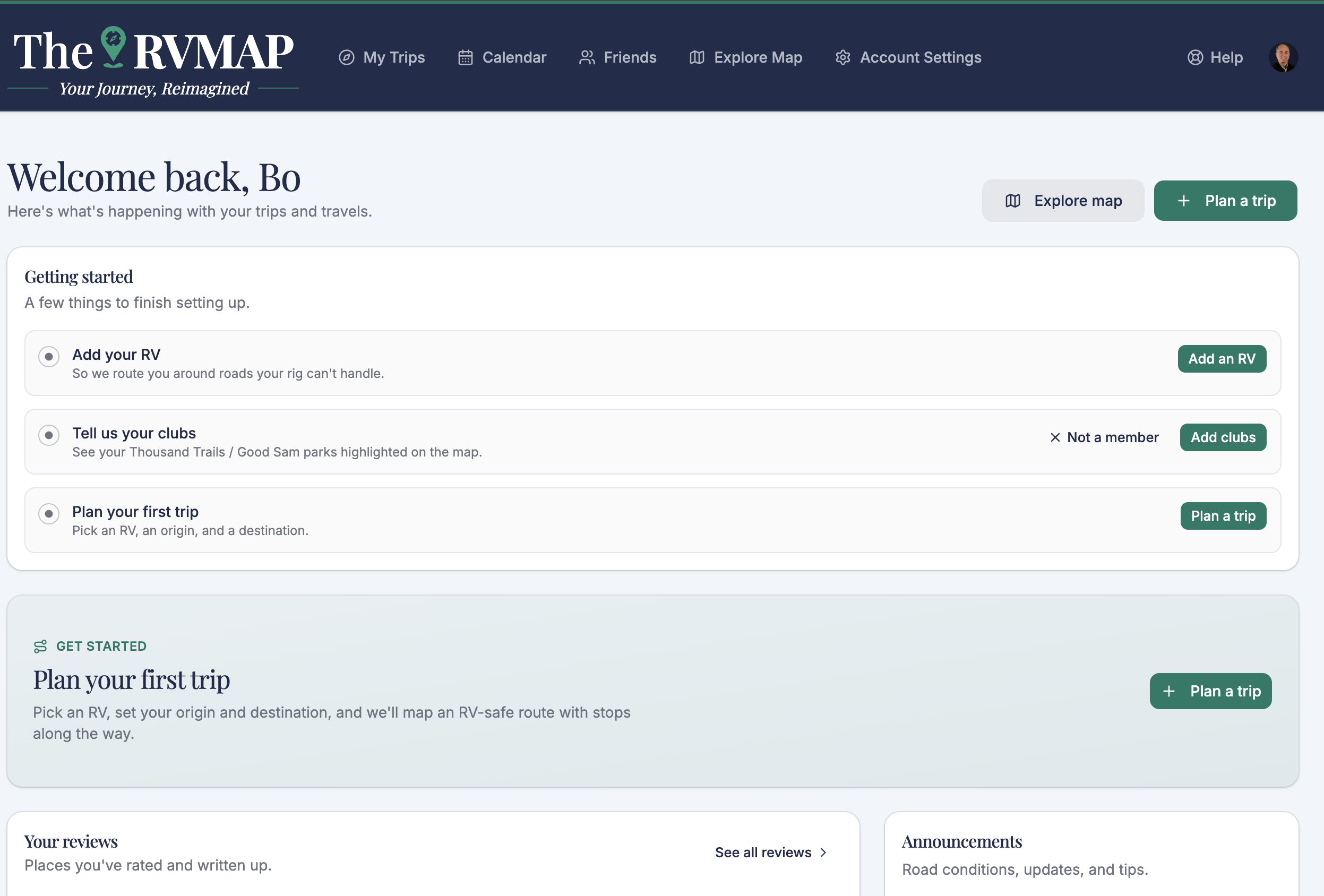
To set aside the clubs step, choose Not a member on that row.
In the app
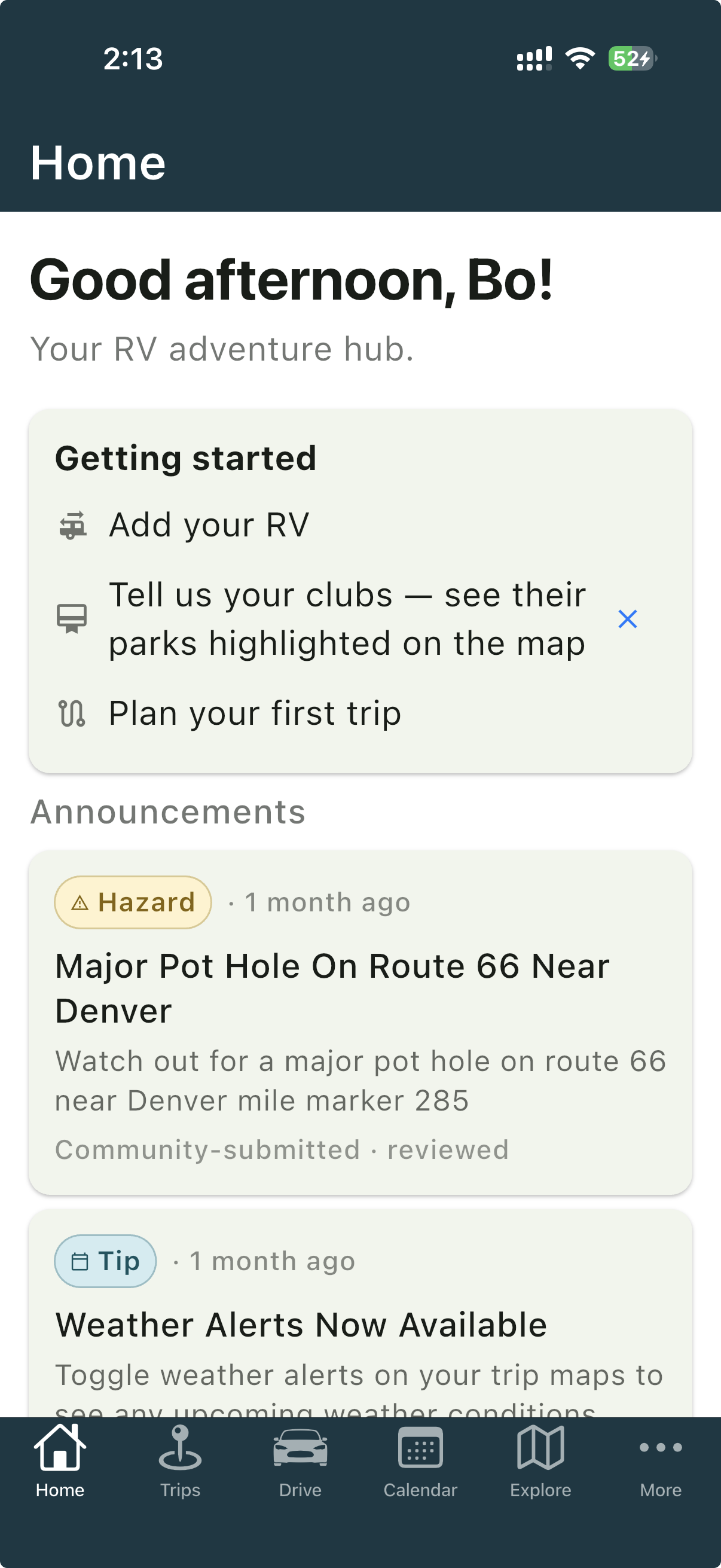
To set aside the clubs step, use Not interested on that row.
Related
- Signing in for the first time
- Signing in on your phone
- Adding your RV (and why the numbers matter)
- A tour of TheRVMAP on the web
- A tour of the app: the six tabs
- Getting help
Was this article helpful?
That’s Great!
Thank you for your feedback
Sorry! We couldn't be helpful
Thank you for your feedback
Feedback sent
We appreciate your effort and will try to fix the article