Your RVs live on the My RVs page. This is the list of rigs you actually drive, and when you plan a trip you pick one so the route is built around its real height, weight and length. Those numbers are the whole point: get them right and the planner steers you away from clearances and limits that would not suit your rig. That is why this is worth a few careful minutes.
What the form asks for
Every field is required except the propane switch. You give the rig a nickname, choose a rig type, say how many axles it has, and set whether it carries propane or hazmat. Then you enter its length, width, height and gross weight.
Rig types are Motorhome Class A, Class B and Class C, travel trailer, fifth wheel, pop-up camper, truck camper, and other.
Imperial or Metric
The units switch lives on the My RVs list, not inside the form, and you choose Imperial or Metric. The form heading follows your choice, so you enter dimensions in feet and pounds, or in metres and kilograms.
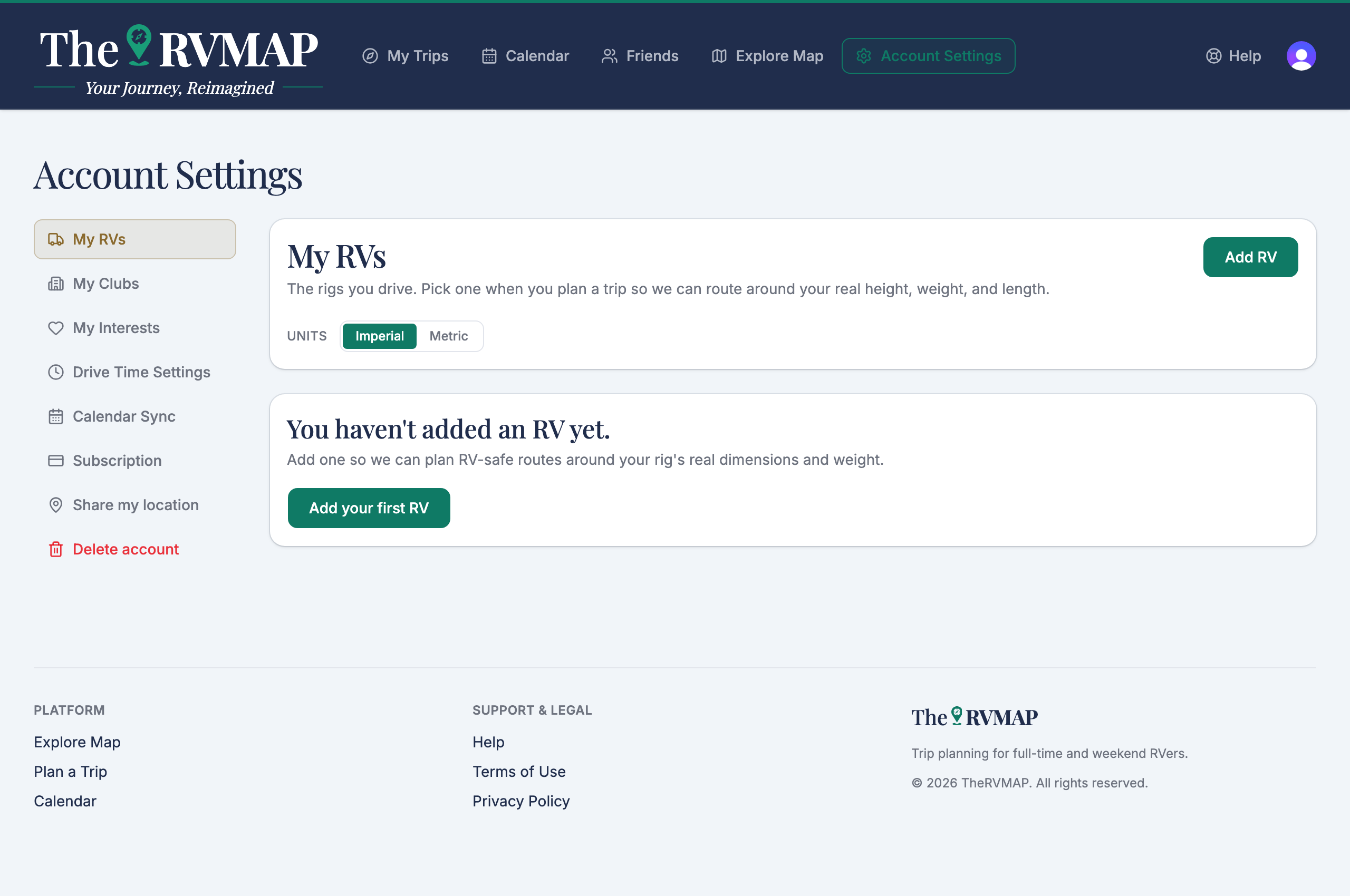
On the web
- Open My RVs and choose Add RV.
- Fill in the fields, then save.
- To make a rig your go-to, choose Set as default on its card.
In the app
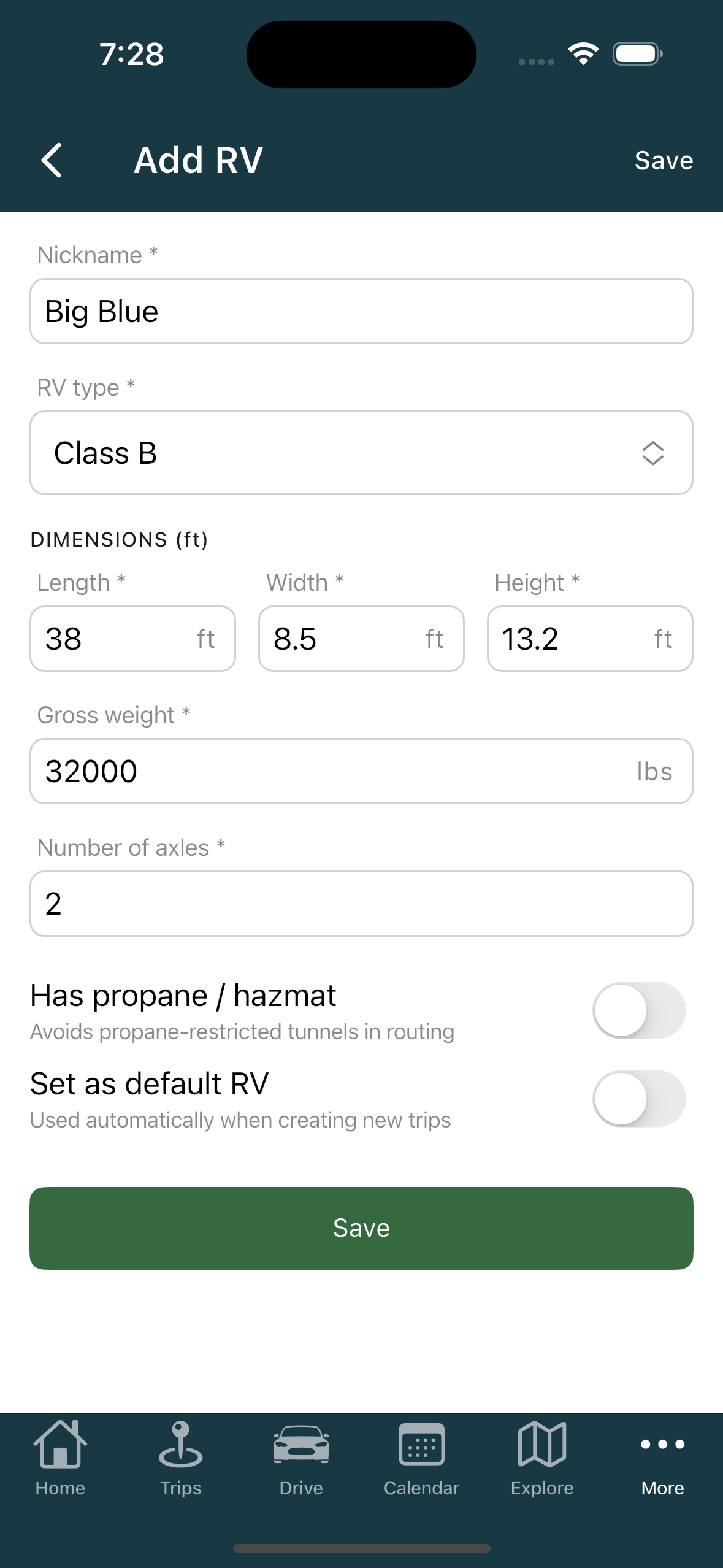
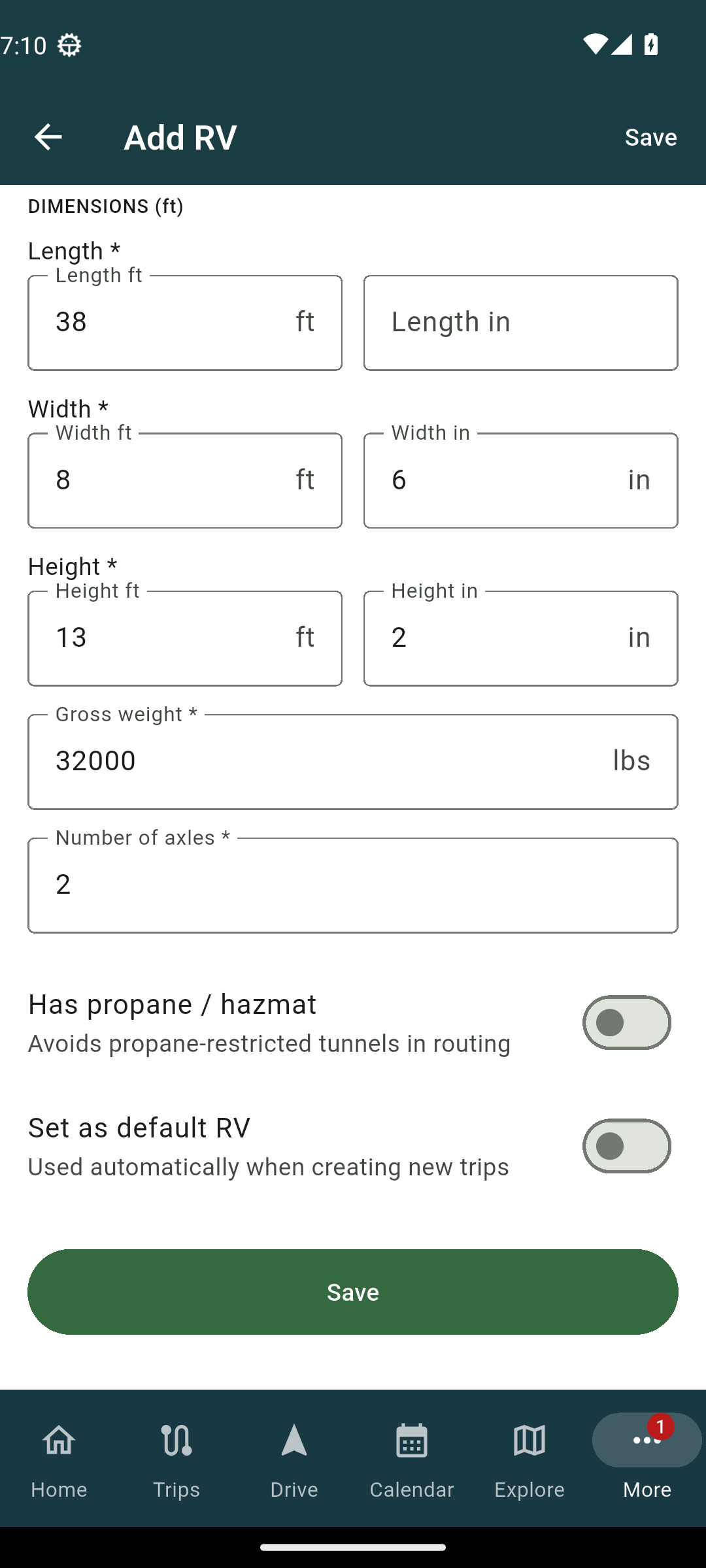
- Go to My RVs and tap Add RV.
- Fill in the fields. To make it your go-to, turn on the Set as default RV switch inside the form.
Deleting a rig
On the web, deleting warns you that any trips using the rig stop being routable until you pick another one. In the app, deleting cannot be undone, and the app will not let you delete a rig a trip is currently using.
Related
- Adding your club memberships
- Changing your name, photo and units
- What the pin colours mean
Was this article helpful?
That’s Great!
Thank you for your feedback
Sorry! We couldn't be helpful
Thank you for your feedback
Feedback sent
We appreciate your effort and will try to fix the article