Deleting your account is permanent, so it is worth knowing exactly what happens before you start. When you delete, your account and profile are removed, any subscription is cancelled immediately with no refund for time already paid, and billing records are kept as required. This is not the same as cancelling a plan. If you only want to stop paying, see the related cancelling article instead.
You do this in the app or on the web today. You do not need to email a request.
On the web
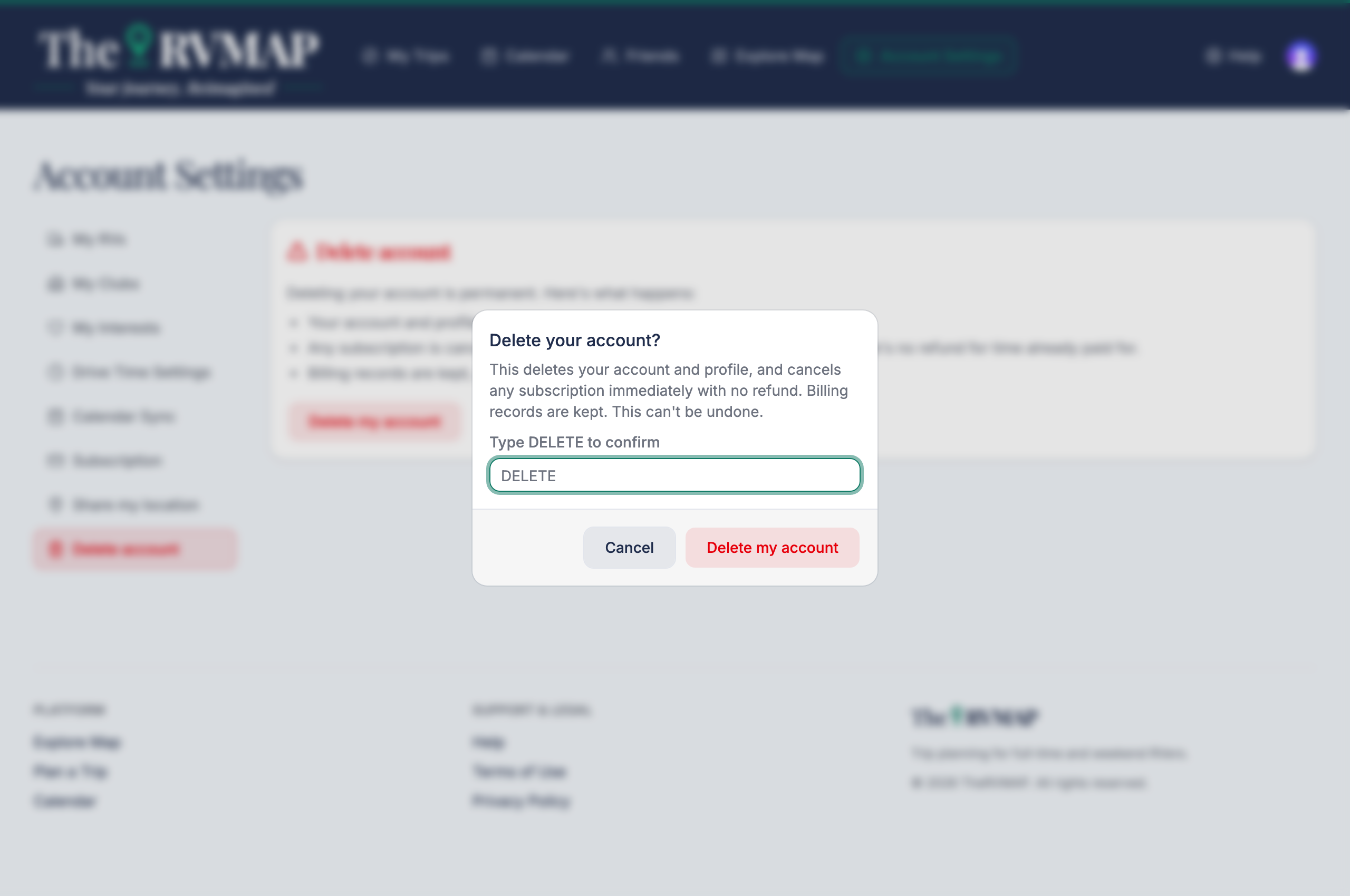
- Open the account delete page and read what will happen.
- Type DELETE in the confirmation box. The confirm button stays disabled until it matches exactly.
- Choose Delete my account.
In the app
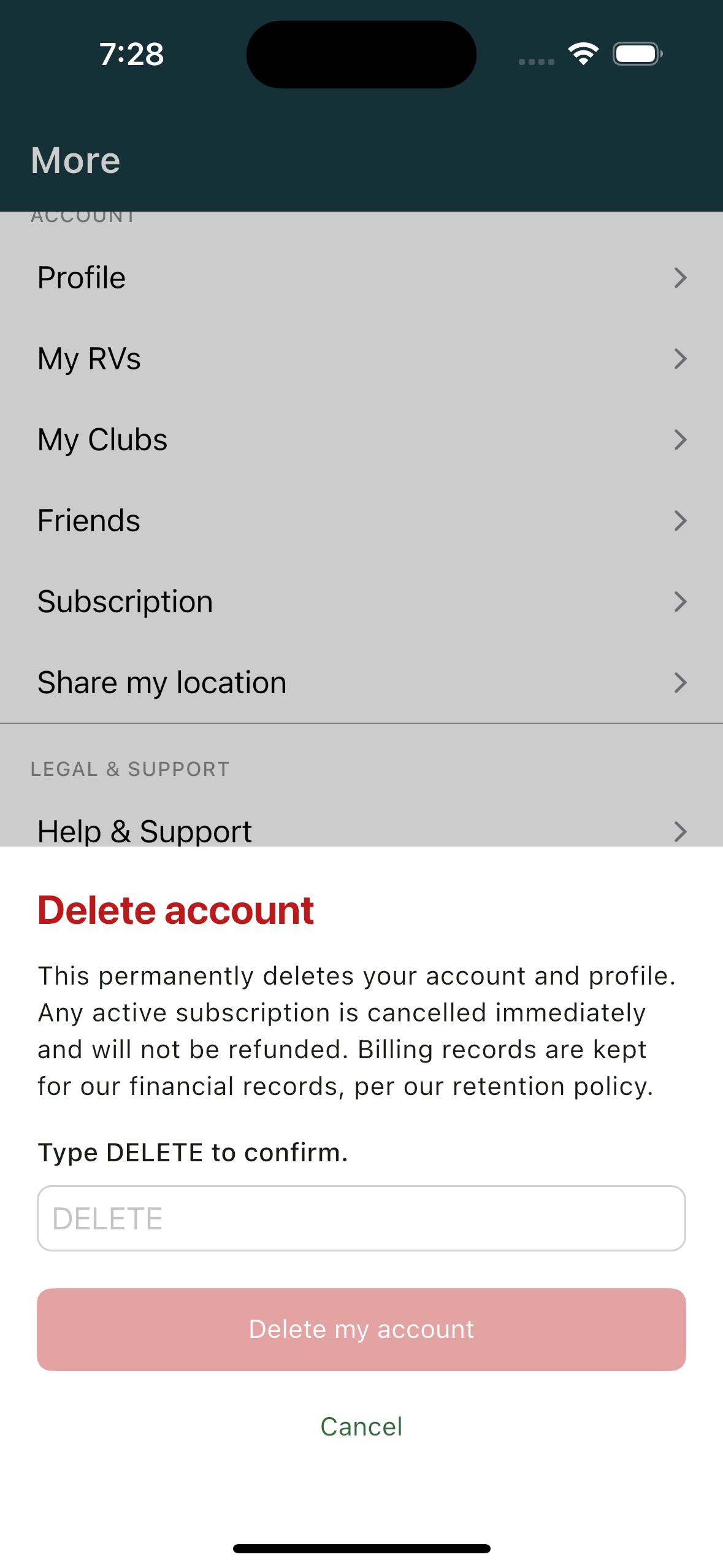
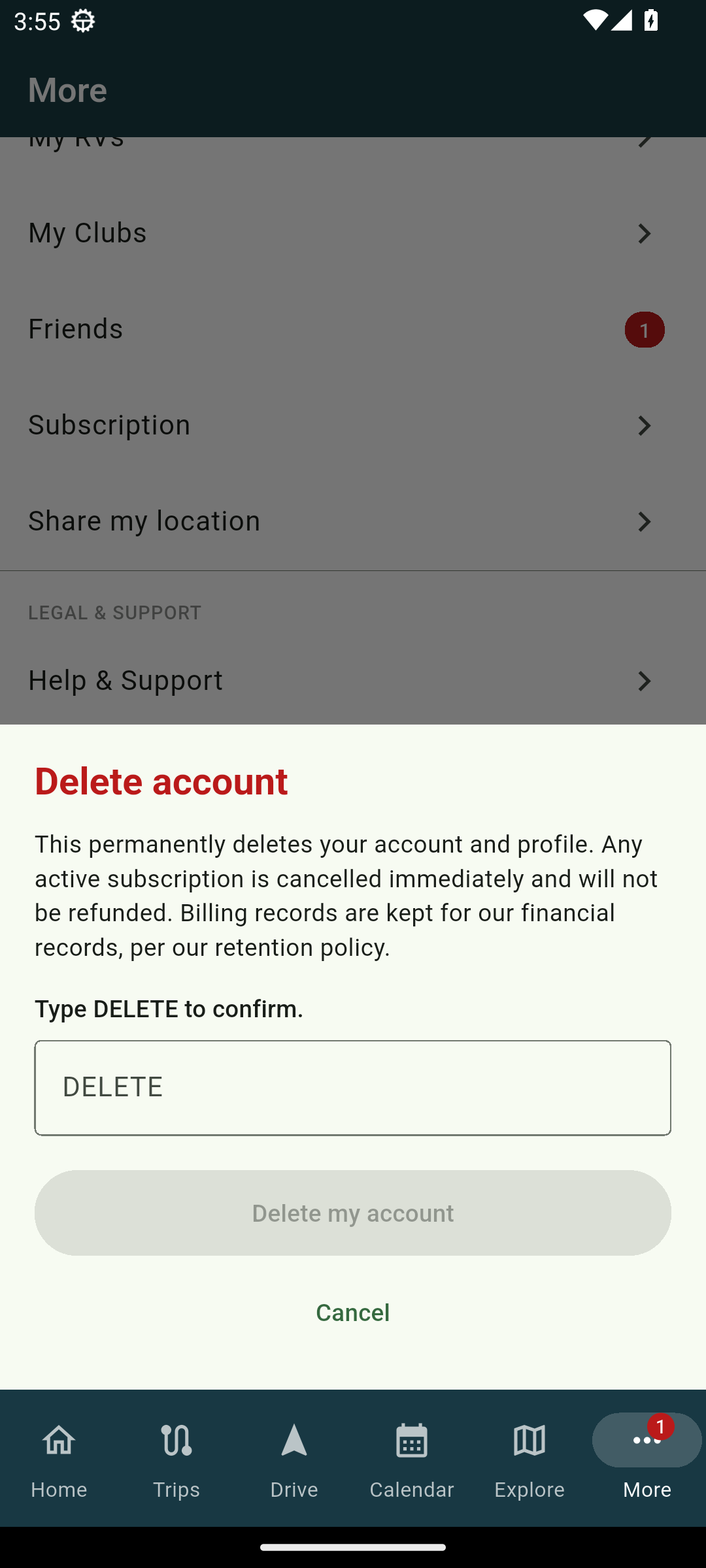
- On the More tab, open the delete option and read what will happen.
- Type DELETE to confirm.
- Confirm the deletion.
What you'll see
Once it is done, your account and profile are gone and any subscription is cancelled right away, with no further charges and no refund for time already paid. Billing records are retained because we are required to keep them.
Related
- Cancelling, and what happens to your trips
- Changing your name, photo and units
Was this article helpful?
That’s Great!
Thank you for your feedback
Sorry! We couldn't be helpful
Thank you for your feedback
Feedback sent
We appreciate your effort and will try to fix the article