A review lets you tell other travellers how a park actually was. It is a star rating plus optional notes, up to 2000 characters on the web.
Writing a review
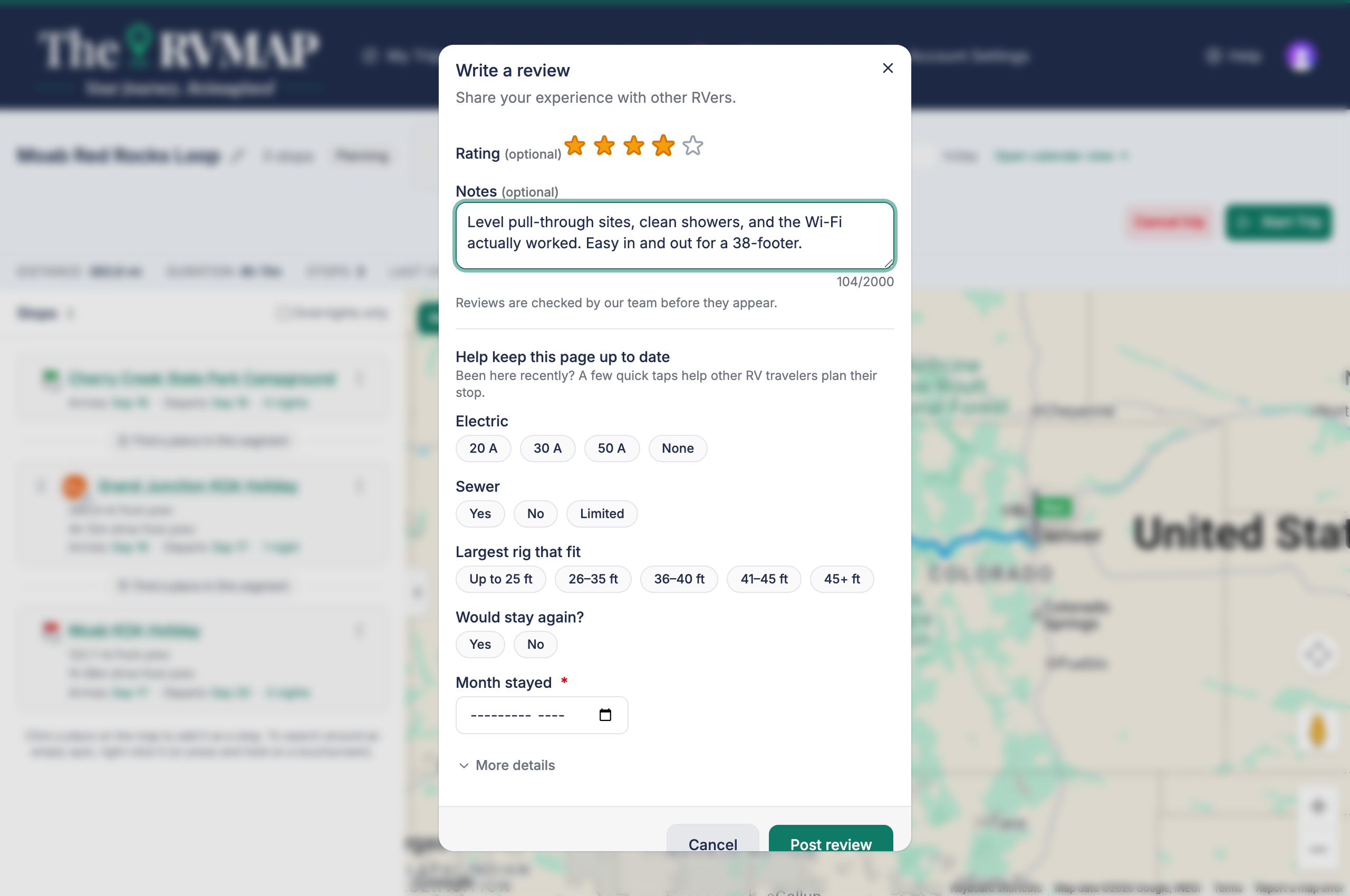
- Pick your star rating and add notes if you want to.
- You can fill in the park facts form at the same time, or send either half on its own. The button changes to match what you have filled in: Post review & facts, Share facts, or Post review.
Reviews are checked before they appear
Both surfaces tell you this in the form, and it is worth knowing: a new review is not live the moment you post it. On the web, a badge shows where yours stands:
- Pending review while it waits.
- Not published if it was rejected.
- No badge at all once it is live.
Managing your reviews (web only)
On the web, Your reviews on the reviews page lists everything you have written, with edit and delete. Deleting asks you to confirm and warns that it cannot be undone.
There is no equivalent page in the app. Editing or deleting your own review is on the web only, so if you want to change one, sign in on the web.
Related
- Helping other RVers: improve a park's page
- Reading a park's details page
- Exploring the map
Was this article helpful?
That’s Great!
Thank you for your feedback
Sorry! We couldn't be helpful
Thank you for your feedback
Feedback sent
We appreciate your effort and will try to fix the article