Tap a park and its details open up. The same information appears on both surfaces, but each one uses its own headings and layout, so this article quotes each surface on its own terms.
On the web
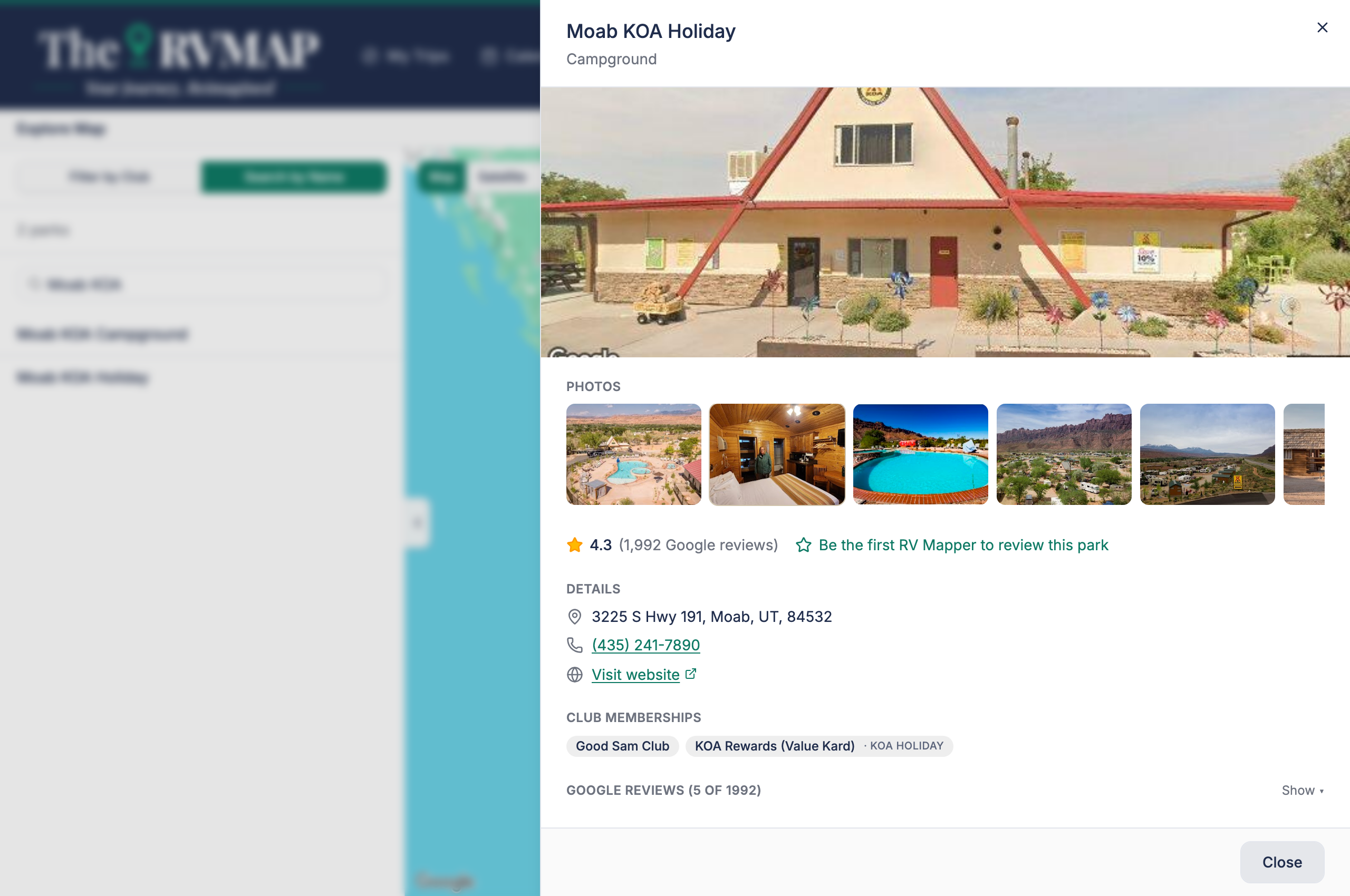
The panel reads top to bottom:
- A photo, then a Photos strip.
- The rating and the number of reviews from the map provider.
- Details: address, phone, website, total sites, max RV length, and managing agency.
- Club memberships.
- Amenities.
- The provider's reviews, collapsed behind a show control.
The panel has no action buttons beyond closing it. You cannot add a park to a trip from here. Adding a stop happens from inside a trip.
A note on the "Be the first RV Mapper to review this park" link: on this panel it only opens a coming-soon notice. It is not a way to leave a review. Reviewing works from inside a trip and from the phone's park sheet.
In the app
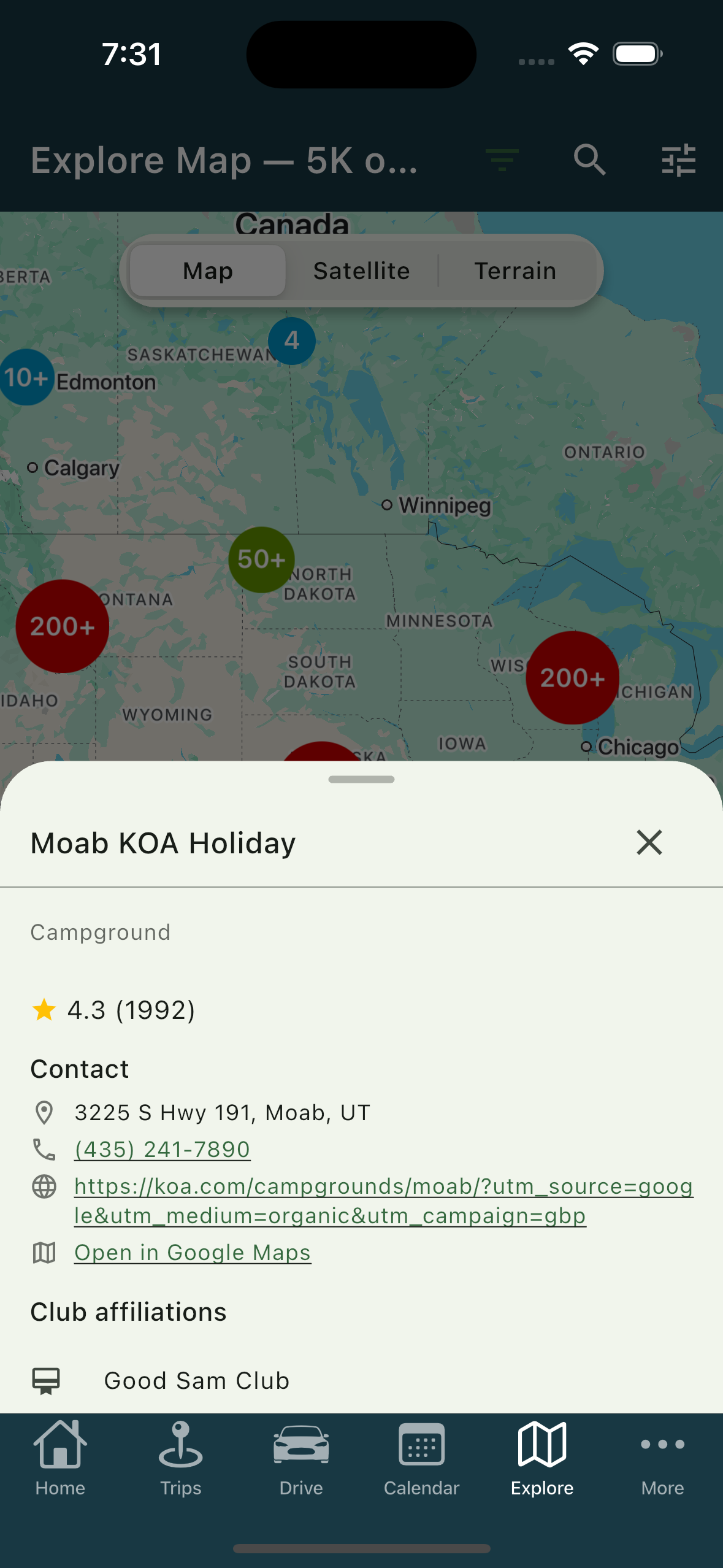
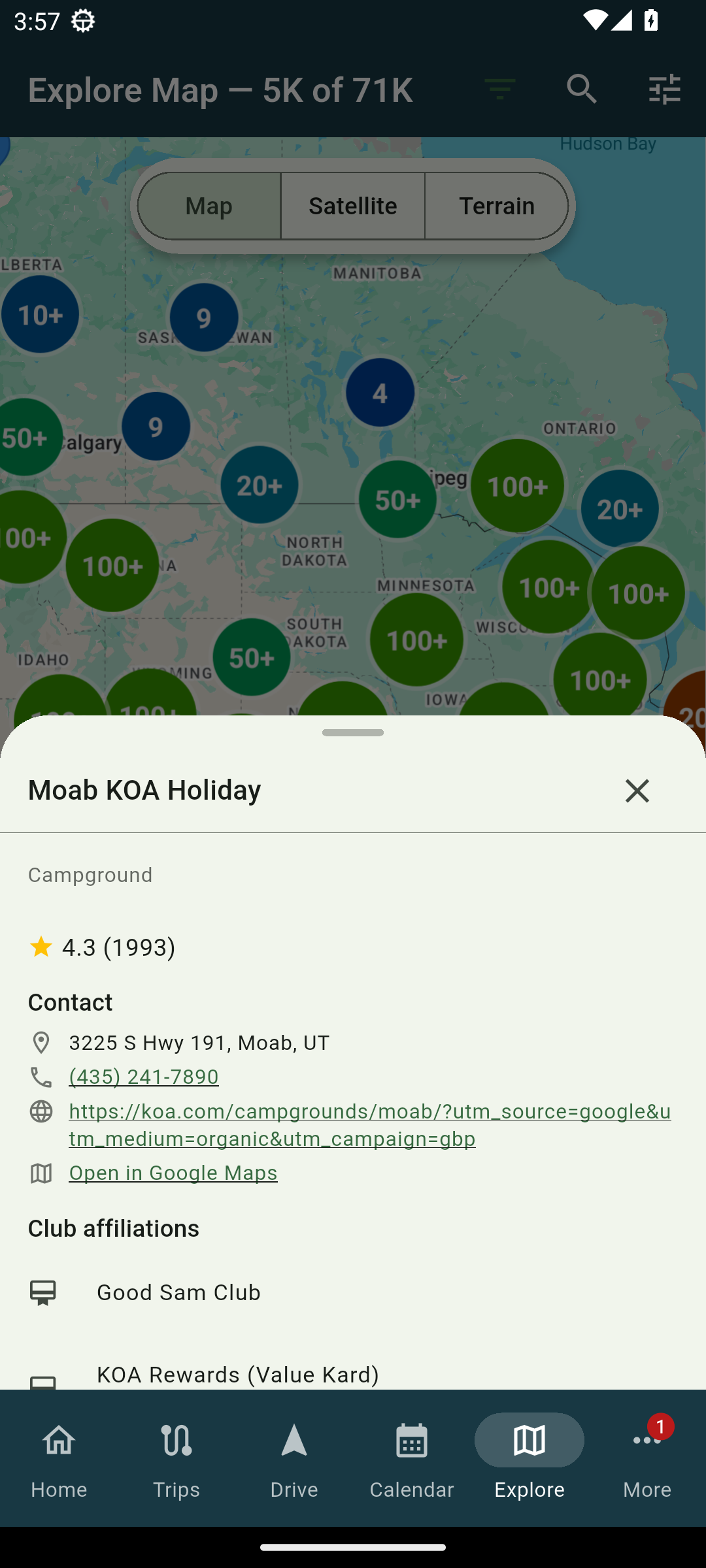
The sheet carries the same material with its own headings. It says Club affiliations where the web says Club memberships. It adds an Hours section and an Open in Google Maps row that the web does not have. It ends with a line saying the information is provided by the map provider.
Related
- Exploring the map
- What the pin colours mean
- Helping other RVers: improve a park's page
- Writing and managing your reviews
- Adding and arranging stops
- Adding your club memberships
Was this article helpful?
That’s Great!
Thank you for your feedback
Sorry! We couldn't be helpful
Thank you for your feedback
Feedback sent
We appreciate your effort and will try to fix the article