Every park page carries a community summary built from what travellers report first-hand. When you share what you found, you help the next rig know what to expect. The form is all dropdowns and chips, so it takes a minute.
Finding the form
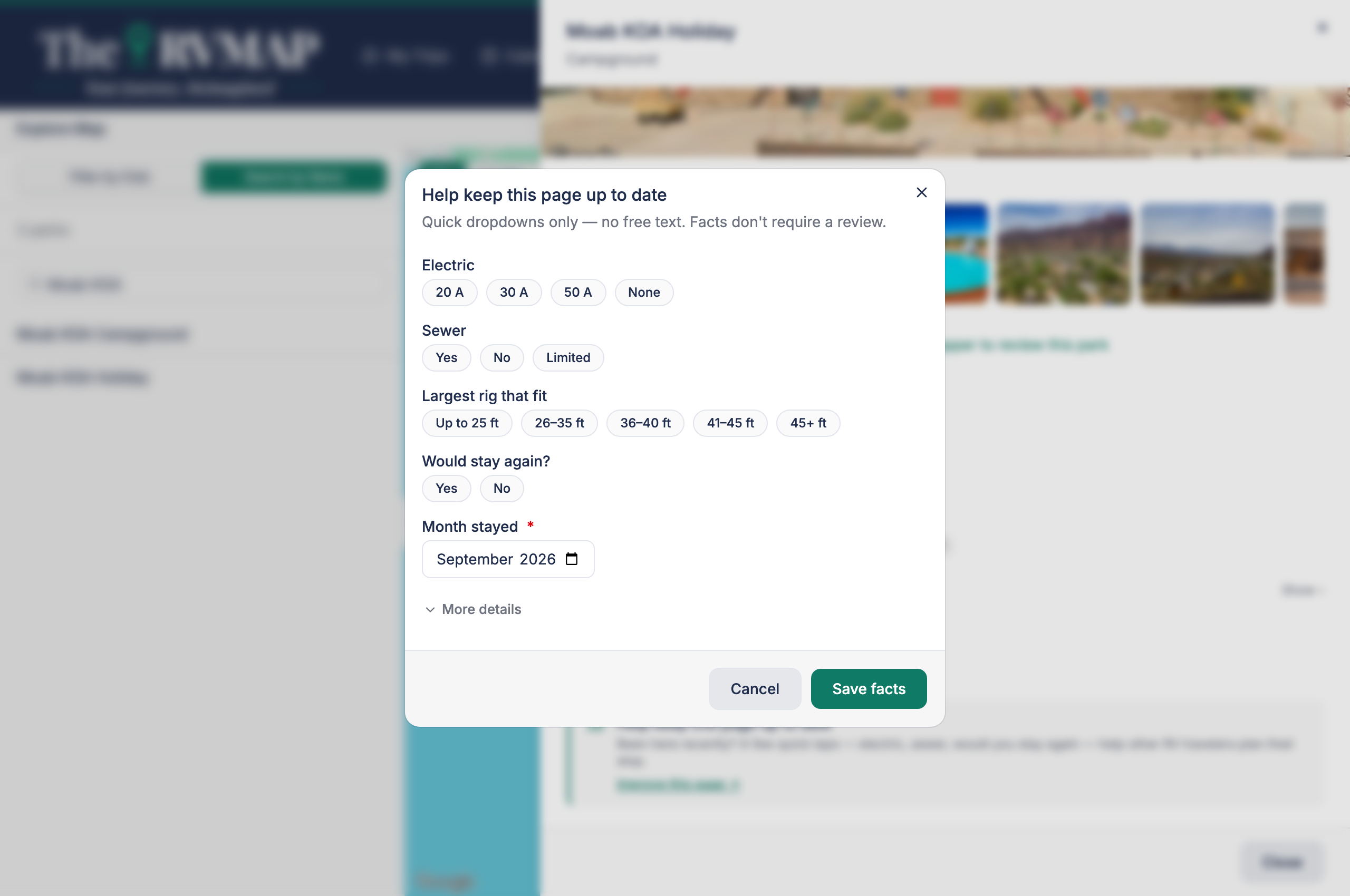
- On the web, a callout headed "Help keep this page up to date" has an Improve this page link.
- In the app, an Improve this page button sits under the community facts.
What it asks
Always visible: electric, sewer, the largest rig that fits, whether you would stay again, and the month you stayed. A More details expander adds water, site type, surface, whether slides fit, Wi-Fi, cell signal, pets, reservation, rate, amenities, and which clubs the park accepts.
The month you stayed is required once you answer anything else.
Answering, and clearing an answer
On the phone, each dropdown offers an explicit Not sure choice, so you can say so outright. The web has no such option: you simply leave a question unanswered, and tapping a selected chip again clears it.
After you save
Saving shows a thank-you telling you how many travellers you just helped, and sometimes a badge. You can take your report back down later with Remove my facts.
What the community summary is
The summary on the park page gathers answers from several travellers, showing how many reported each fact and when. No single stay speaks for the whole park.
Related
- Reading a park's details page
- Writing and managing your reviews
- Exploring the map
Was this article helpful?
That’s Great!
Thank you for your feedback
Sorry! We couldn't be helpful
Thank you for your feedback
Feedback sent
We appreciate your effort and will try to fix the article