The pins on the map are colour-coded so you can spot your clubs' parks at a glance.
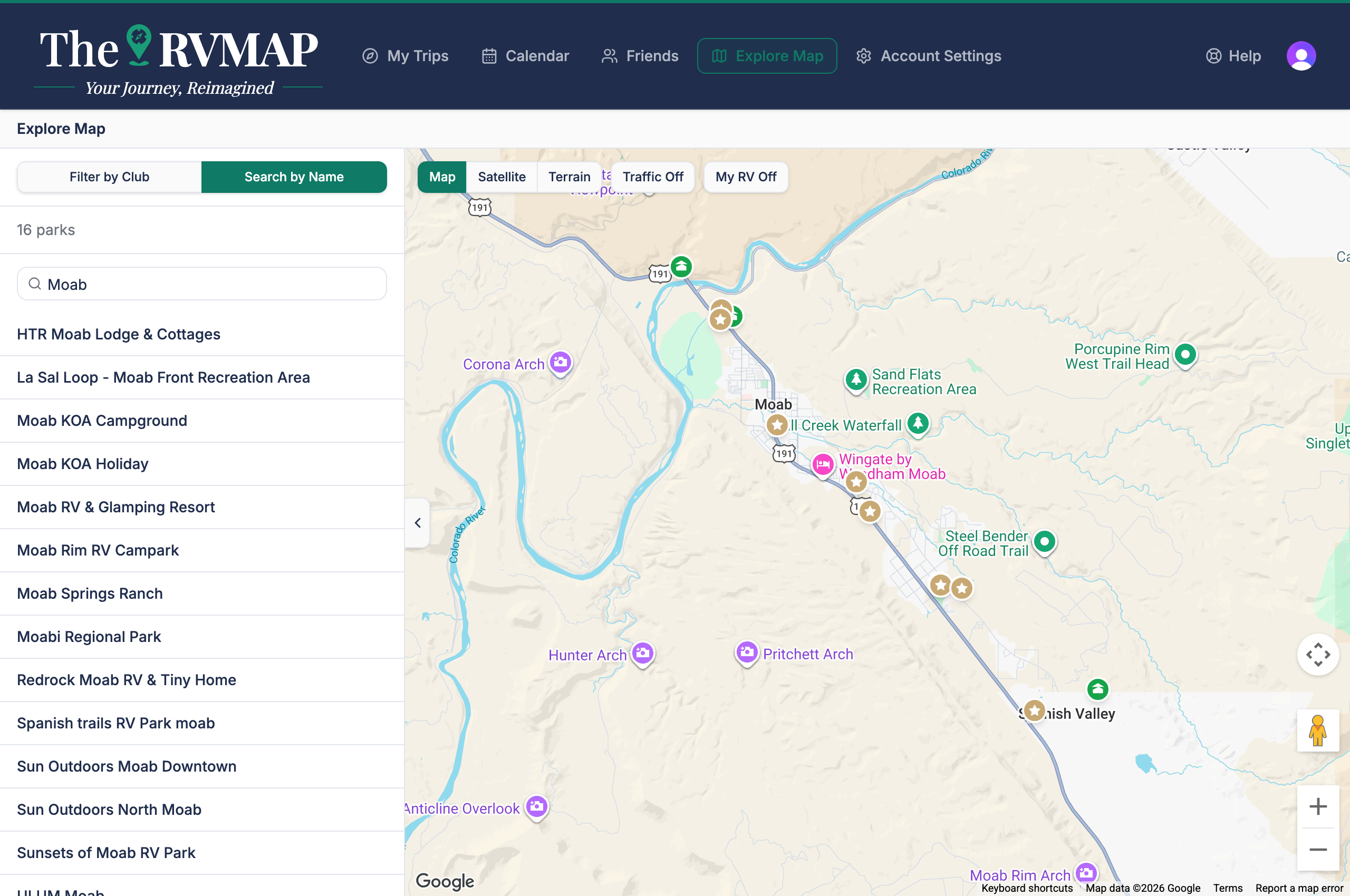
The two kinds of pin
- A park you have no club link to is green with a tent.
- A park in one of your clubs takes that club's colour and carries a star, and is drawn above the plain pins so it stands out.
Where the colour comes from
The colour is the one you chose for that club in your clubs settings. There the field is labelled Map color, with a note that parks in this club show this colour on the map. The palette is Gold, Purple, Blue, Teal, Pink, Orange, Indigo and Slate, and the reset is Default (gold). If you have not chosen a colour, the pin uses gold.
Why a cluster is gold
When pins are grouped together at low zoom, a group that contains club parks always shows in gold rather than one club's colour. That is because a single group can span several clubs, so it cannot pick just one. Zoom in and the individual pins take their own club colours again.
Related
- Exploring the map
- Reading a park's details page
- Adding your club memberships
Was this article helpful?
That’s Great!
Thank you for your feedback
Sorry! We couldn't be helpful
Thank you for your feedback
Feedback sent
We appreciate your effort and will try to fix the article