Your clubs live on My Clubs, and telling us which ones you belong to means their parks surface first when you are looking around. For each club you can record a membership number and pick a colour, so those parks are easy to spot on the map.
On the web
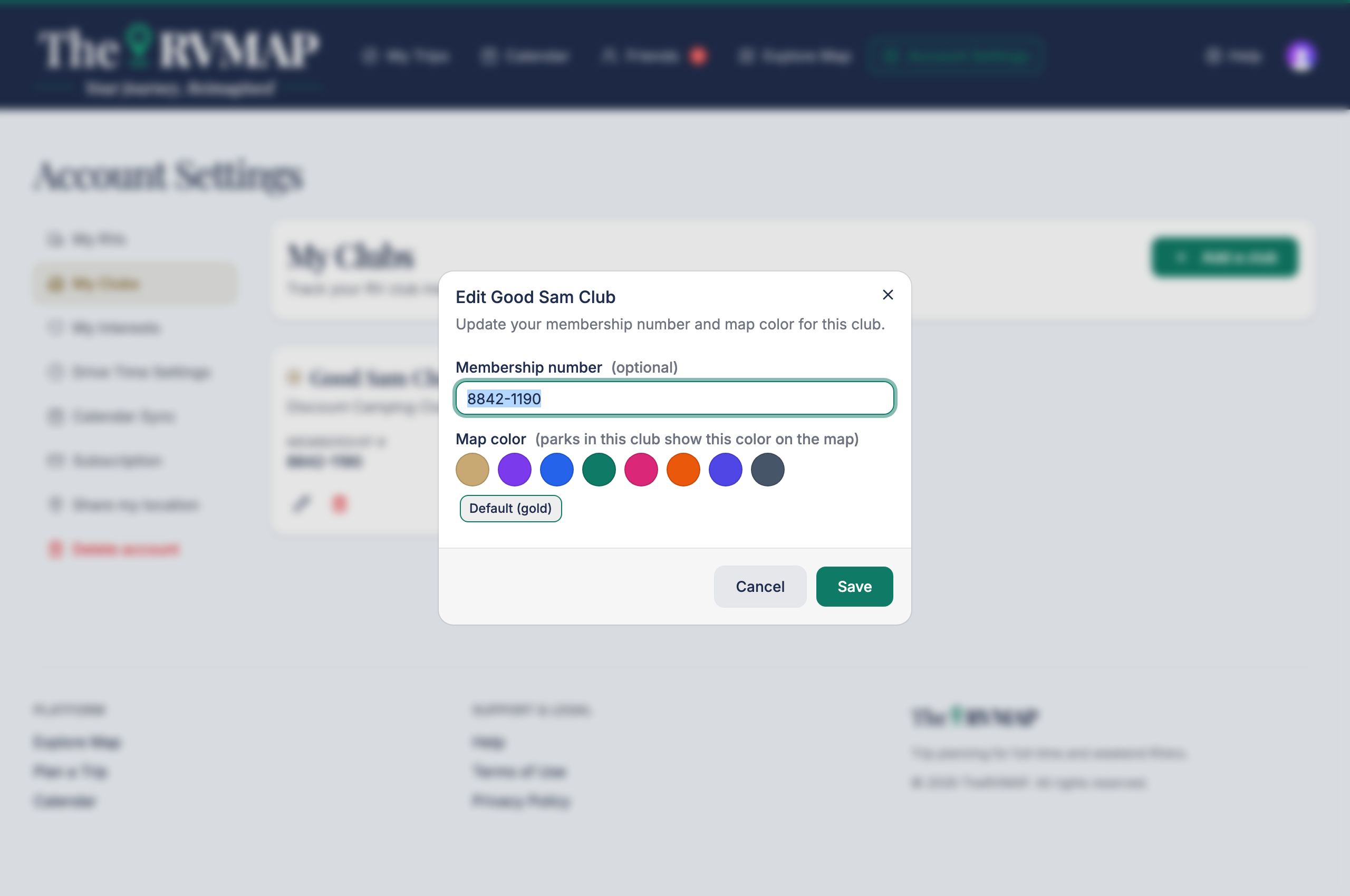
- Open My Clubs and choose Add a club.
- Pick the club from the list, and add your membership number if you have one.
- Choose a colour under Map color.
- Save.
In the app
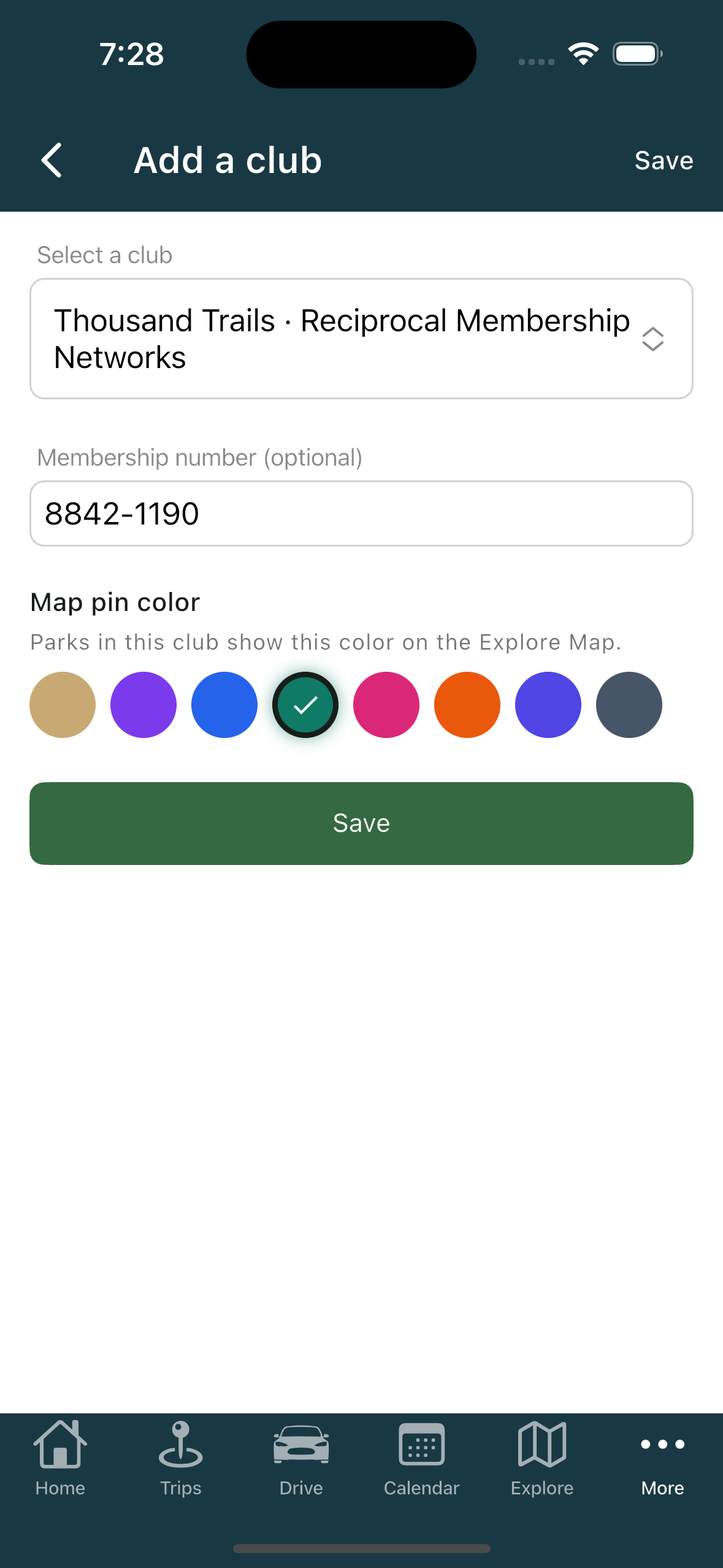
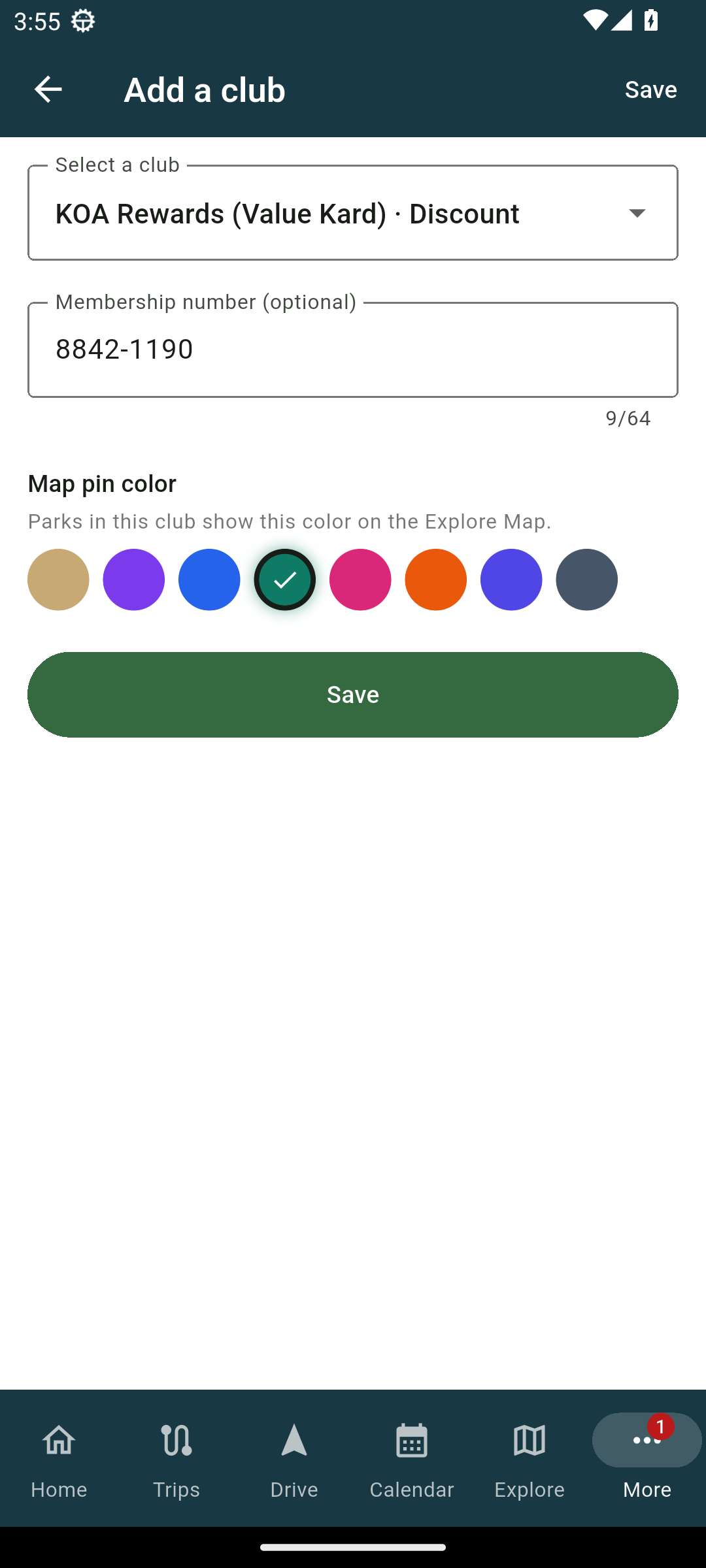
- Open My Clubs and add a club.
- Pick the club and, if you like, enter your membership number.
- Choose a colour under Map pin color.
- Save.
The colour choices
There are eight colours: Gold, Purple, Blue, Teal, Pink, Orange, Indigo and Slate. You can also reset to Default (gold). The colour is where a club shows up on the map, so it is worth reading the related article on what the pin colours mean.
Removing a club
Removing a club keeps nothing, but there is no harm done: if you change your mind, just add it back.
Related
- What the pin colours mean
- Adding your RV (and why the numbers matter)
Was this article helpful?
That’s Great!
Thank you for your feedback
Sorry! We couldn't be helpful
Thank you for your feedback
Feedback sent
We appreciate your effort and will try to fix the article