Here is where things live at app.thervmap.com, so you can find your way around on your first visit.
The header
Across the top you will find, in order, My Trips, Calendar, Friends, Explore Map, and Account Settings, plus a Help link that opens the support center. Your account menu sits under your avatar on the right.
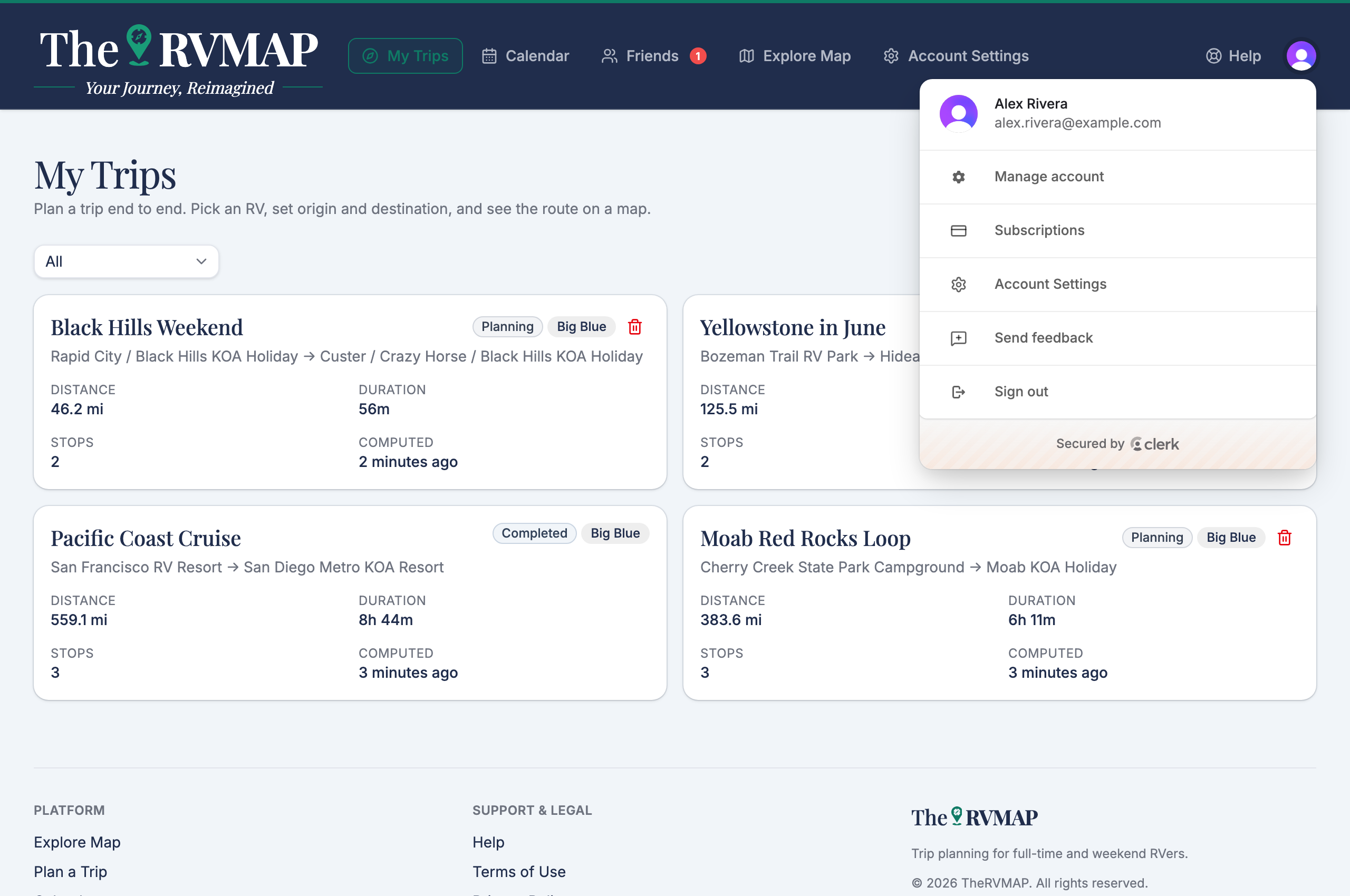
Open the avatar menu for Account Settings, Send feedback, and Sign out. To manage your plan and billing, go to Account Settings and choose Subscription from the left nav.
The home page
Signing in lands you on your home page. At the top, a welcome header offers Explore map and Plan a trip so you can jump straight in.
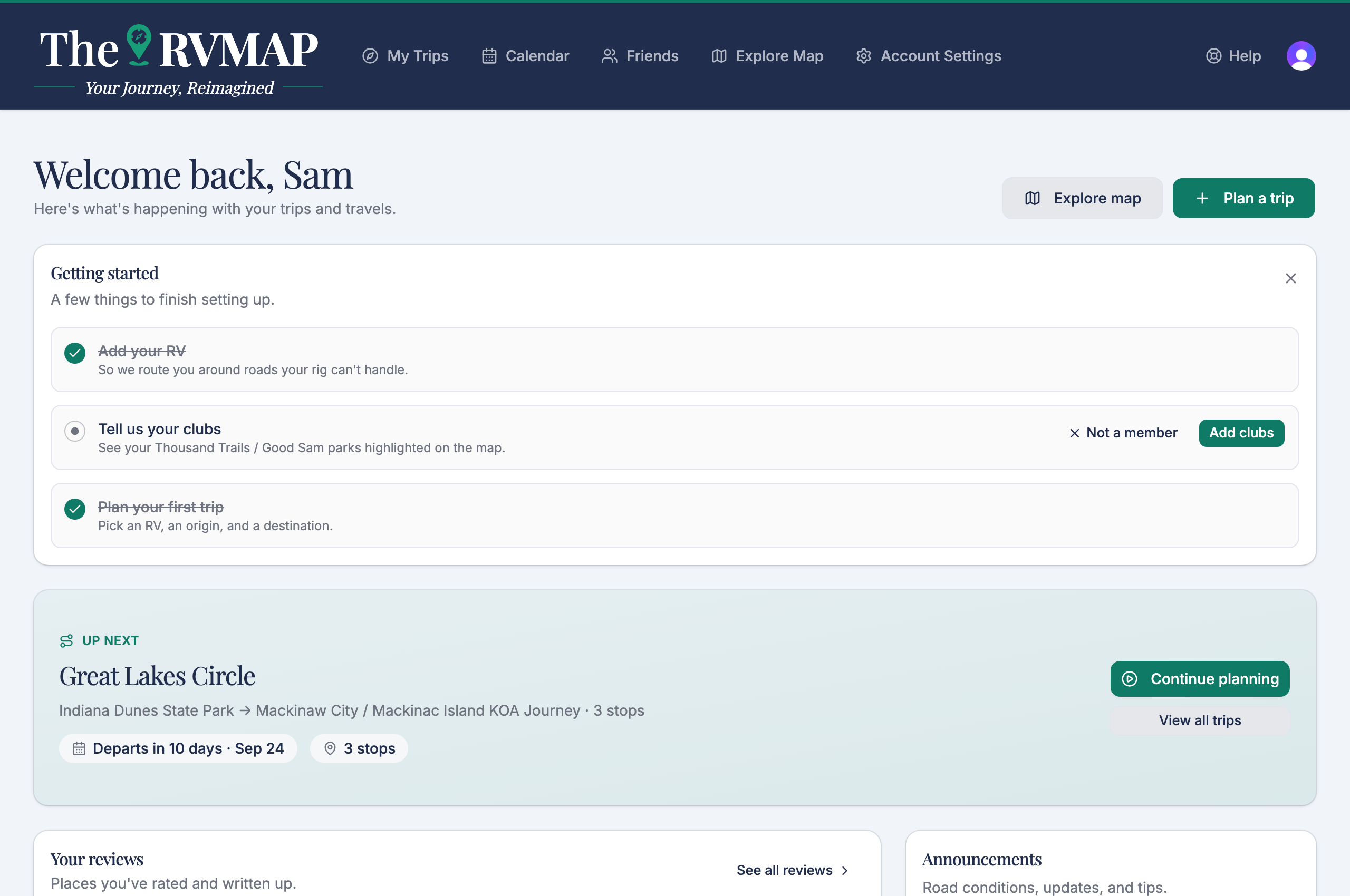
Below that you will see:
- A getting started card walking you through your first setup steps. More on that in "Your first ten minutes".
- Your next trip, with a countdown to departure.
- Your reviews.
- Announcements from us.
About those announcements
Announcements are short notices from TheRVMAP that appear on your home page. Each carries a type badge, so you can tell a hazard, a closure, a new feature, or a tip apart at a glance, and some link out to more detail.
During the beta
You will not see a plan upgrade card, because Pro is included for everyone during the beta.
Related
- Signing in for the first time
- Your first ten minutes
- Adding your RV (and why the numbers matter)
- Getting help
Was this article helpful?
That’s Great!
Thank you for your feedback
Sorry! We couldn't be helpful
Thank you for your feedback
Feedback sent
We appreciate your effort and will try to fix the article