This is a web setting. Your My Interests choices tell us the kinds of places you enjoy, so we can suggest relevant stops along your routes, things like scenic overlooks, dog-friendly parks and fishing spots.
How to pick them
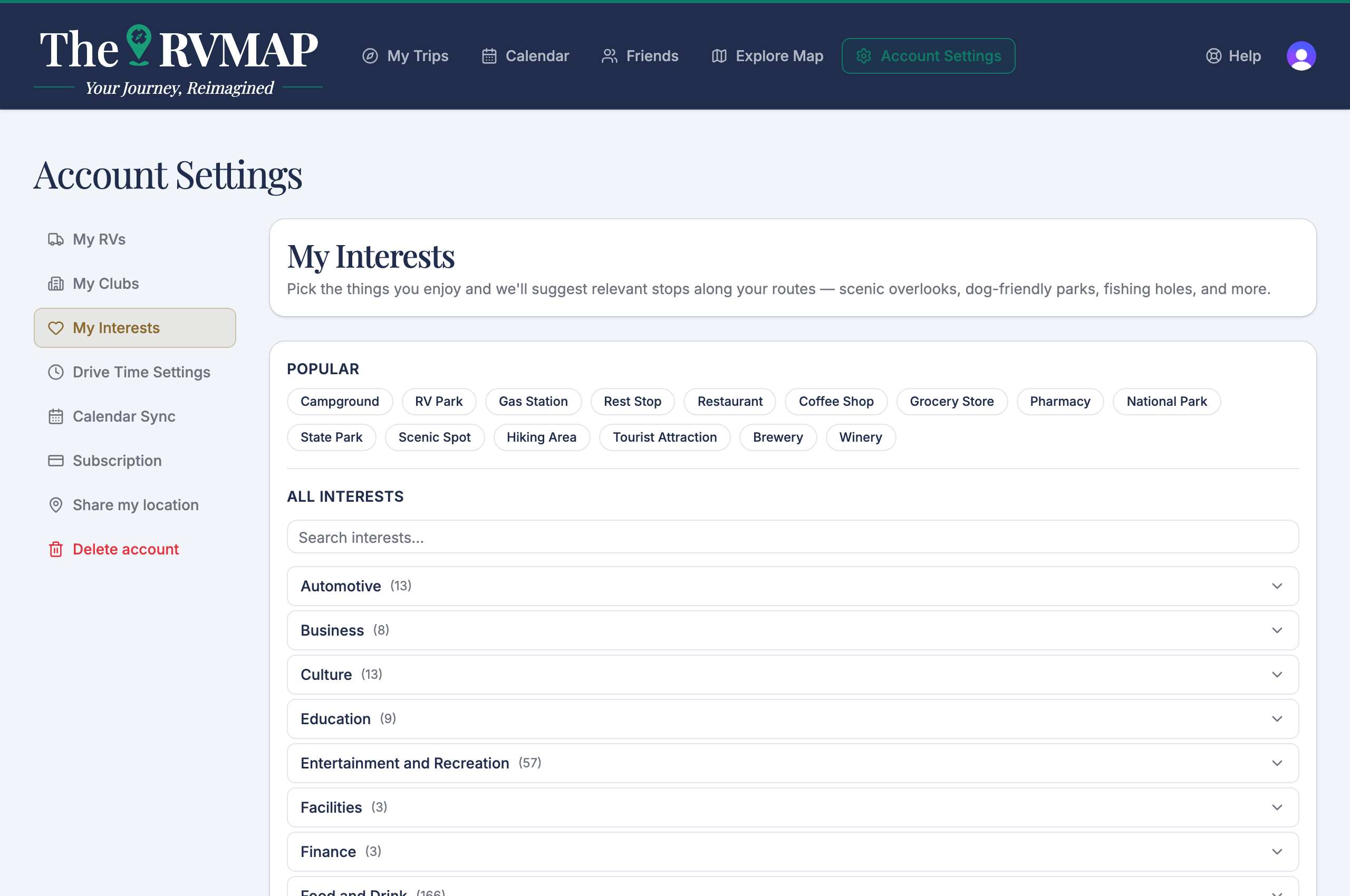
- Open My Interests.
- Start with the Popular row of chips at the top, and tap any that fit.
- Use the search box to find something specific, or open a category to browse.
There is no save button
Your choices save themselves as you tap, so there is nothing to press when you are done. It is worth saying, because people naturally look for a save button and there is not one. Tap what you like, tap again to remove it, and leave when you are happy.
Related
- Setting how far you drive in a day
- Adding your RV (and why the numbers matter)
Was this article helpful?
That’s Great!
Thank you for your feedback
Sorry! We couldn't be helpful
Thank you for your feedback
Feedback sent
We appreciate your effort and will try to fix the article