TheRVMAP is built around six tabs along the bottom of the screen. Here is what each one is for, so you know where to tap.
The six tabs
In order across the bottom:
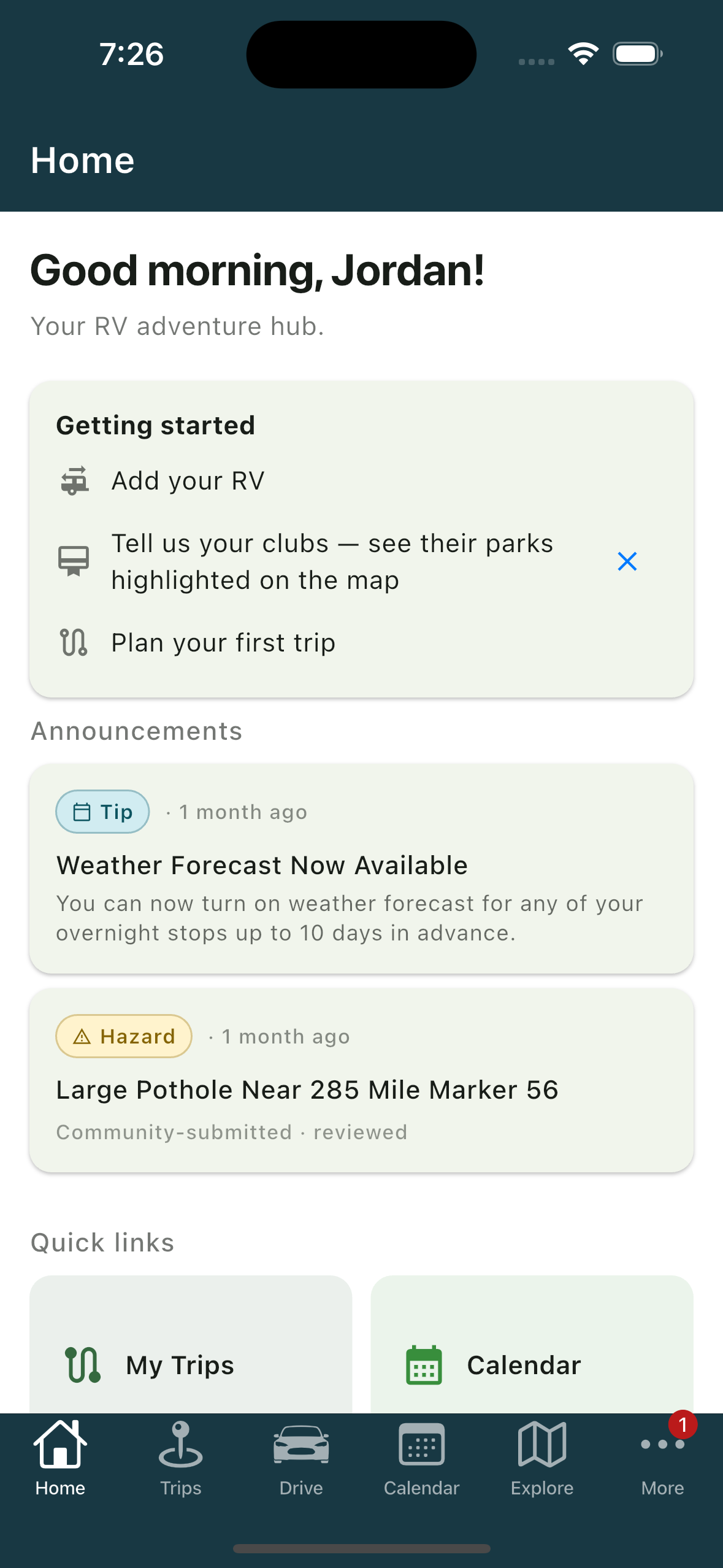
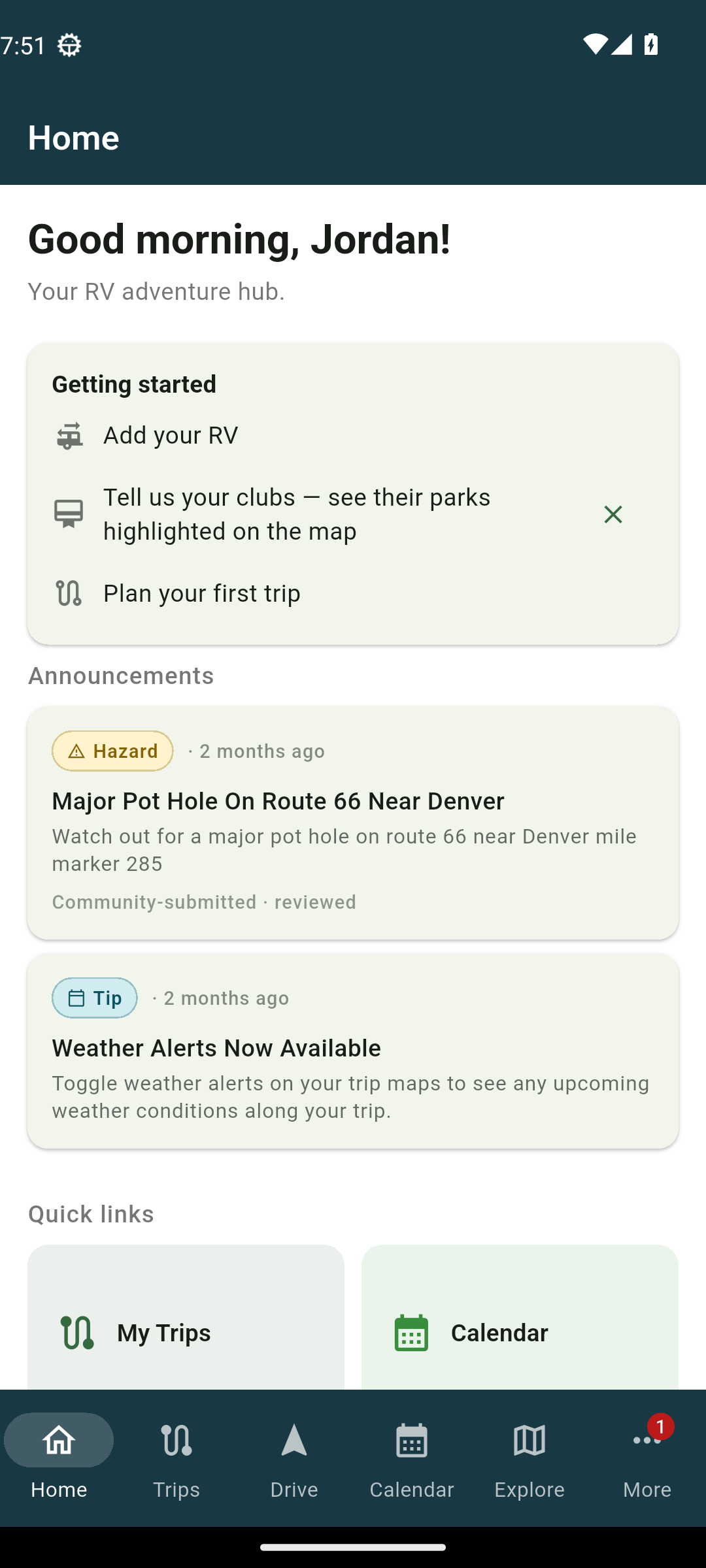
- Home is your landing tab, with your trip countdown and announcements.
- Trips is where your trips live and where you plan a new one.
- Drive starts turn-by-turn driving for a trip.
- Calendar shows your trips and dates.
- Explore opens the map to look around.
- More holds your profile, settings, and everything else below.
When friends send you requests, the More tab shows a small badge until you look.
The More tab
Open More for two groups of settings.
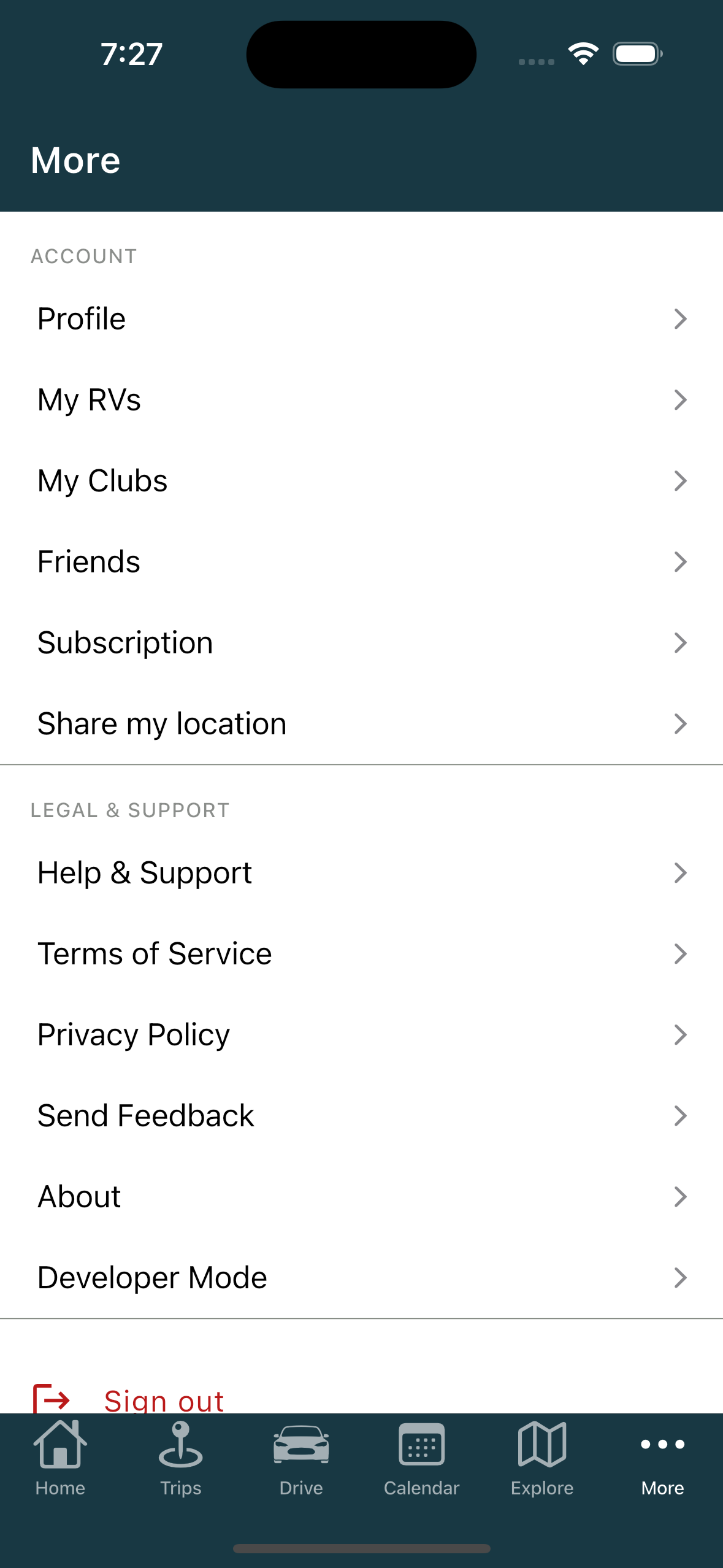
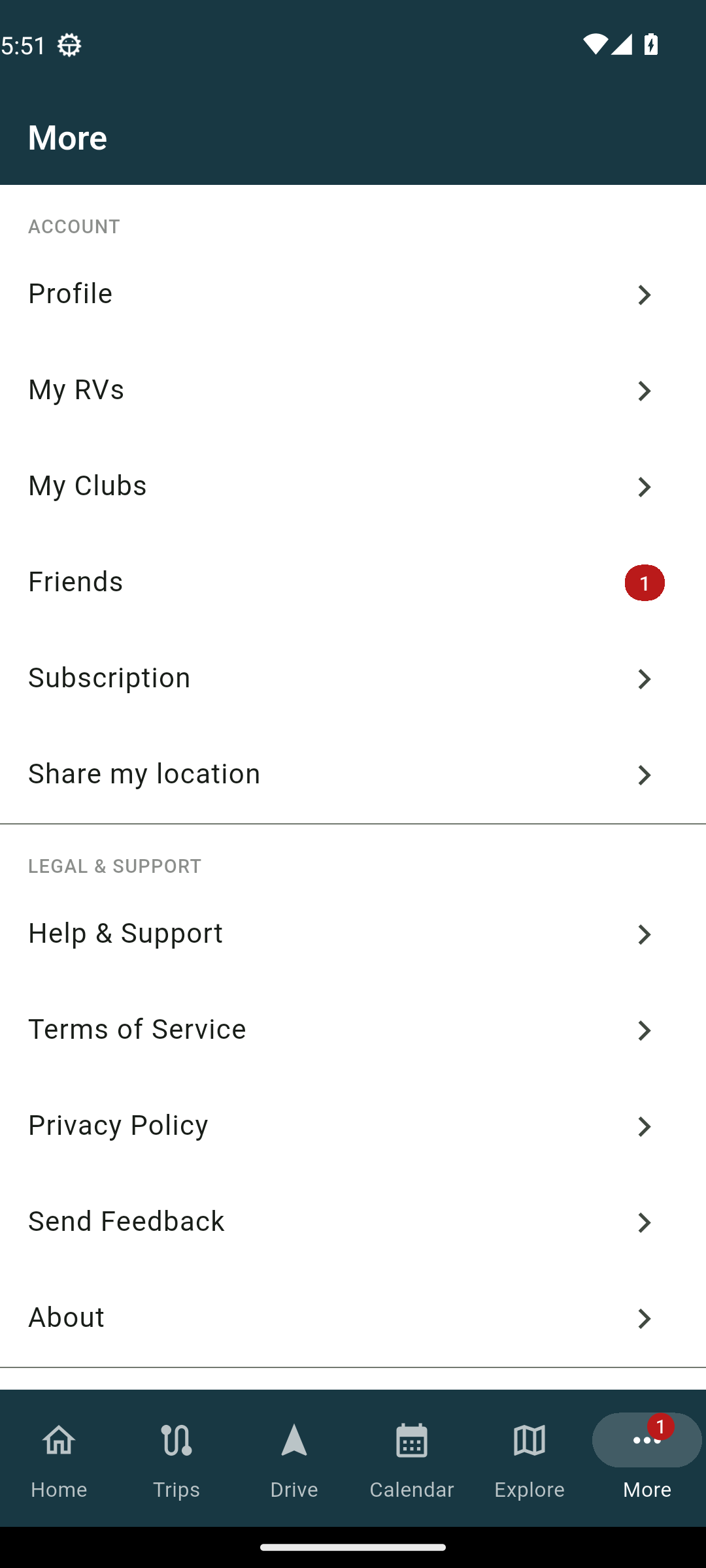
Under ACCOUNT: Profile, My RVs, My Clubs, Friends, Subscription, and Share my location.
Under LEGAL & SUPPORT: Help & Support, Terms of Service, Privacy Policy, Send Feedback, and About.
At the bottom sit Sign out and Delete account.
About announcements
Your Home tab shows announcements from TheRVMAP: short notices, each with a type badge so you can tell a hazard, a closure, a new feature, or a tip apart at a glance. Some link out to more detail.
During the beta
You will not see a plan upgrade card, because Pro is included for everyone during the beta.
Related
- Signing in on your phone
- Your first ten minutes
- Adding your RV (and why the numbers matter)
- Getting help
Was this article helpful?
That’s Great!
Thank you for your feedback
Sorry! We couldn't be helpful
Thank you for your feedback
Feedback sent
We appreciate your effort and will try to fix the article