The Drive tab gives you two ways to get rolling: head to any destination, or drive a trip you already planned.
Drive mode is part of the Basic plan or higher; without a subscription you'll see a card that reads "Turn-by-turn RV-safe navigation requires a Basic subscription or higher" with a See plans button. During the public beta, Pro is included for everyone, so drive mode is available.
The two ways to drive
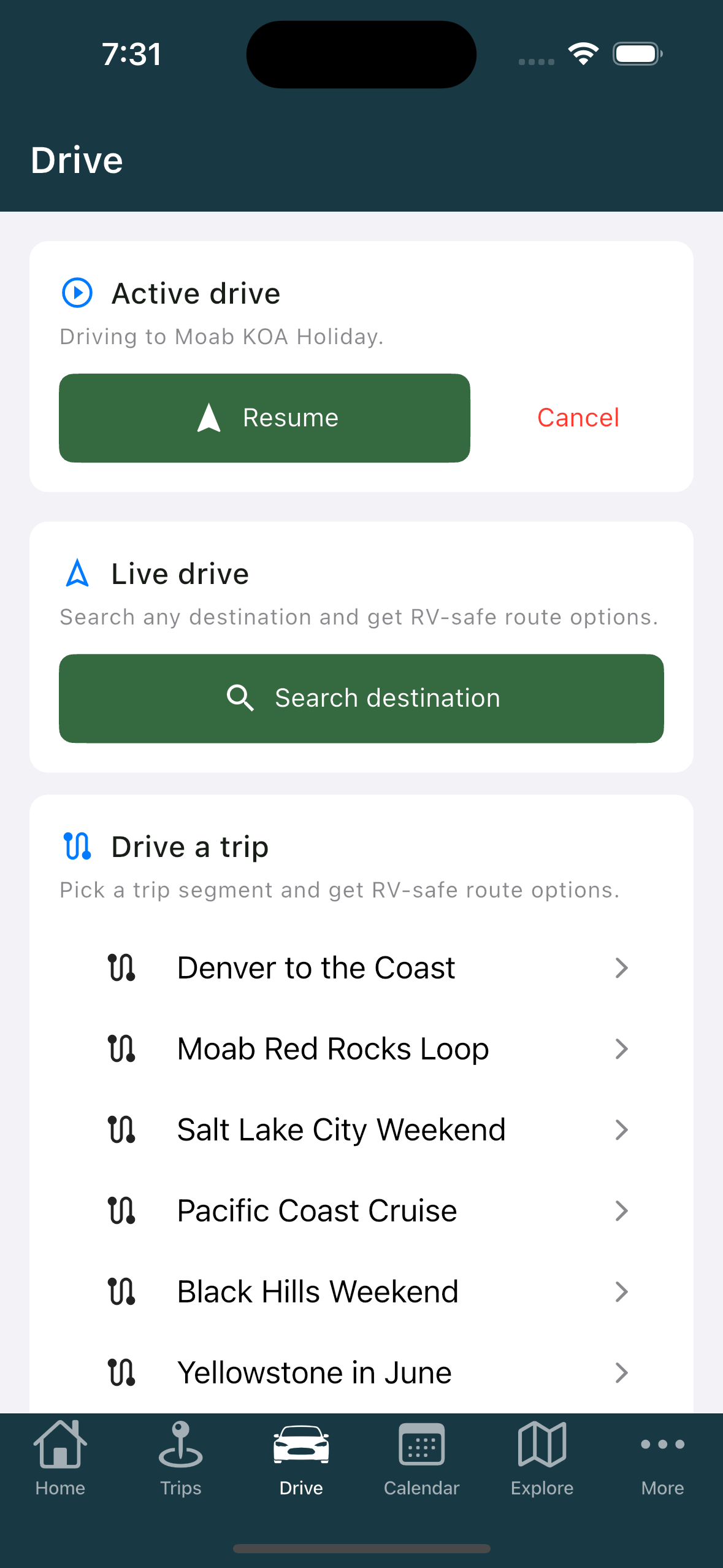
- Live drive ("Search any destination and get RV-safe route options") with a Search destination button.
- Drive a trip ("Pick a trip segment and get RV-safe route options"), which lists your trips. With none yet it reads "No trips yet — create one in the Trips tab."
Starting a live drive
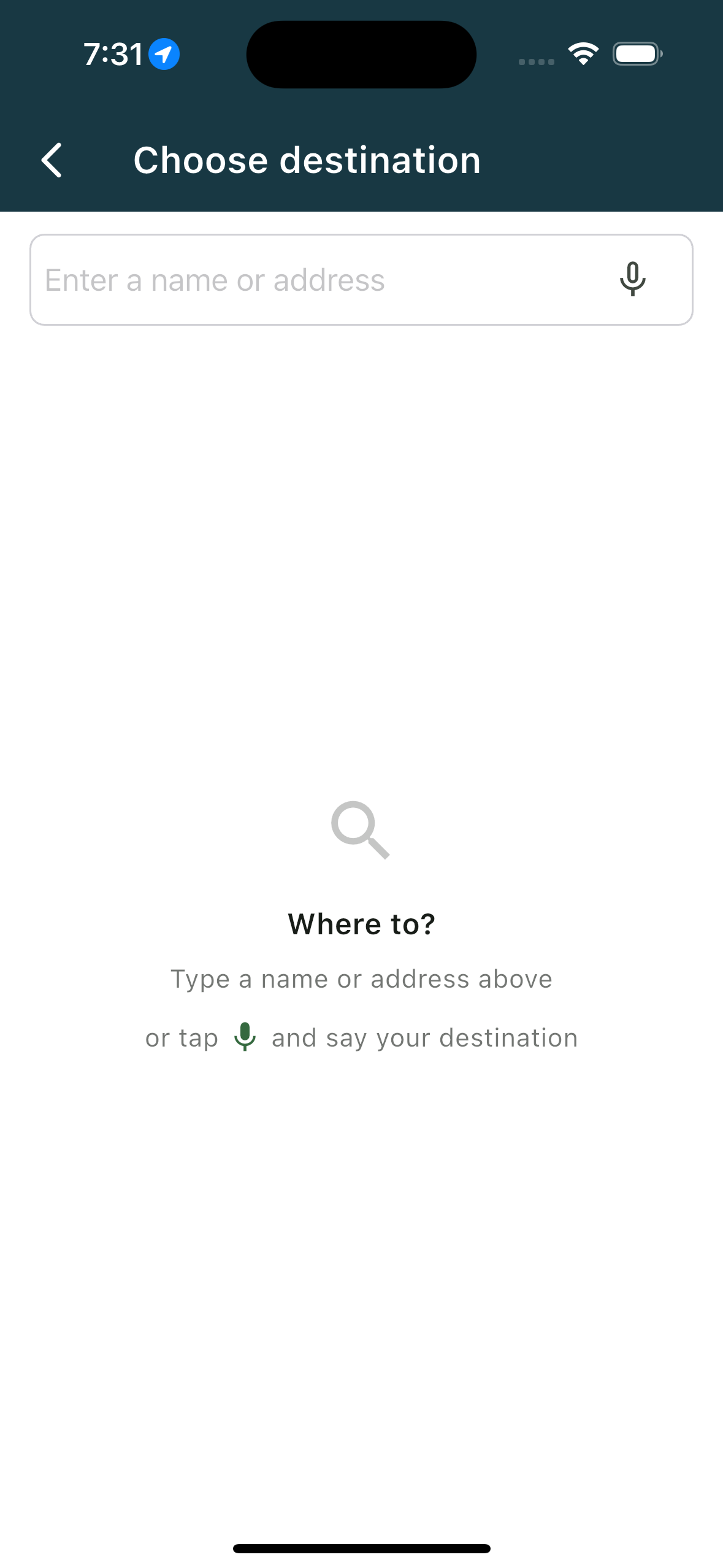
- Tap Search destination. The Choose destination screen opens.
- Type into the Search a name or address field, or use the microphone in the field to speak it. Before you type, it prompts "Where to?" and offers to say your destination instead.
- Routes come back on a screen titled Route to your destination. The first is Recommended; the rest are Option 2 and Option 3, each with distance and driving time, and a toll icon where tolls apply.
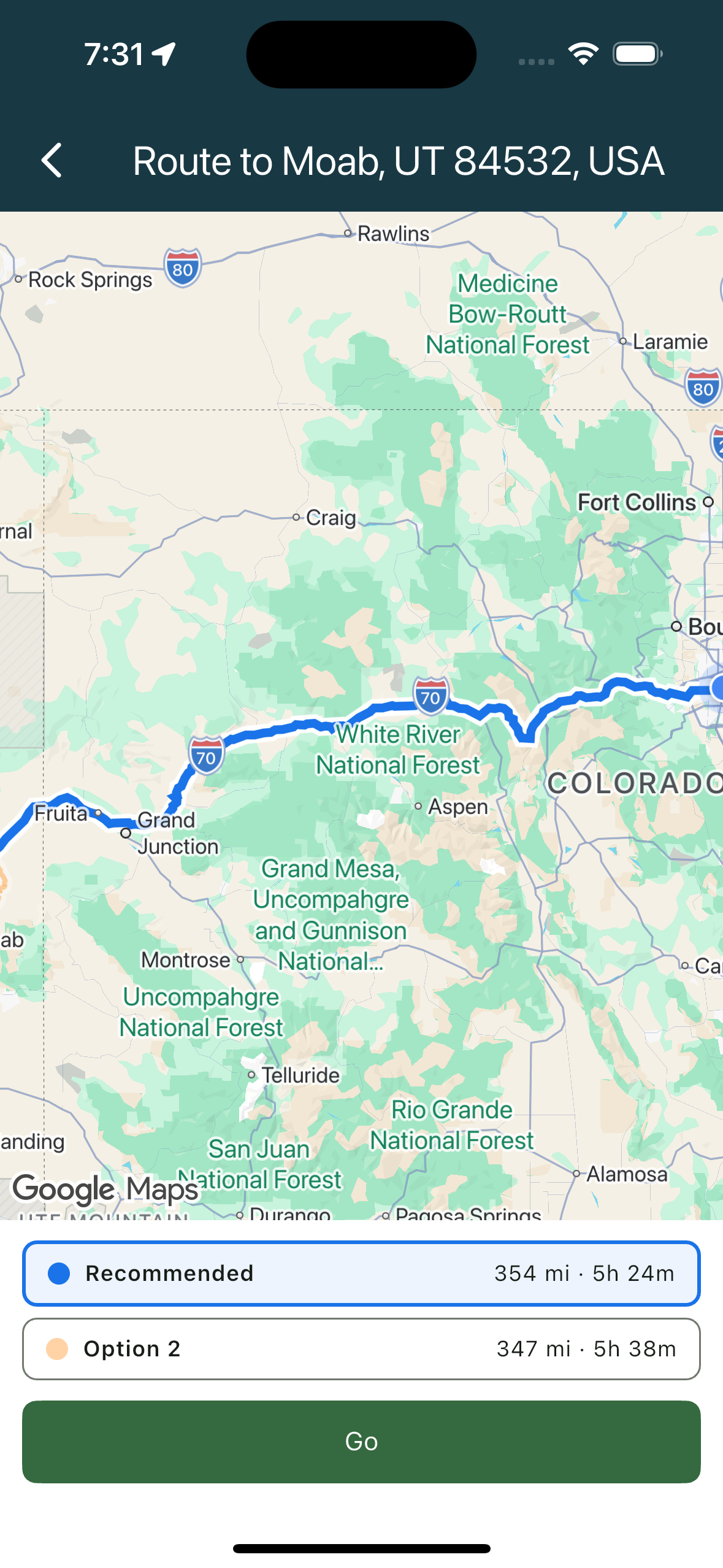
- Tap Go on the one you want.
If nothing suitable turns up, you'll see "No RV-safe route found to that destination. Try a different address."
A note on the options
These are the driving version of the badges you meet when planning. Routes are built for your rig and are guidance, not a guarantee, so keep checking clearances and conditions yourself.
Related
- Driving your trip one leg at a time
- Reading the drive screen
- Before your first drive
- Choosing between route options
- Creating a trip
Was this article helpful?
That’s Great!
Thank you for your feedback
Sorry! We couldn't be helpful
Thank you for your feedback
Feedback sent
We appreciate your effort and will try to fix the article