When you drive a planned trip, TheRVMAP takes it one leg at a time. It guides you to your next stop, then waits for you to decide when to set off again.
Drive mode is part of the Basic plan or higher; without a subscription you'll see a card that reads "Turn-by-turn RV-safe navigation requires a Basic subscription or higher" with a See plans button. During the public beta, Pro is included for everyone, so drive mode is available.
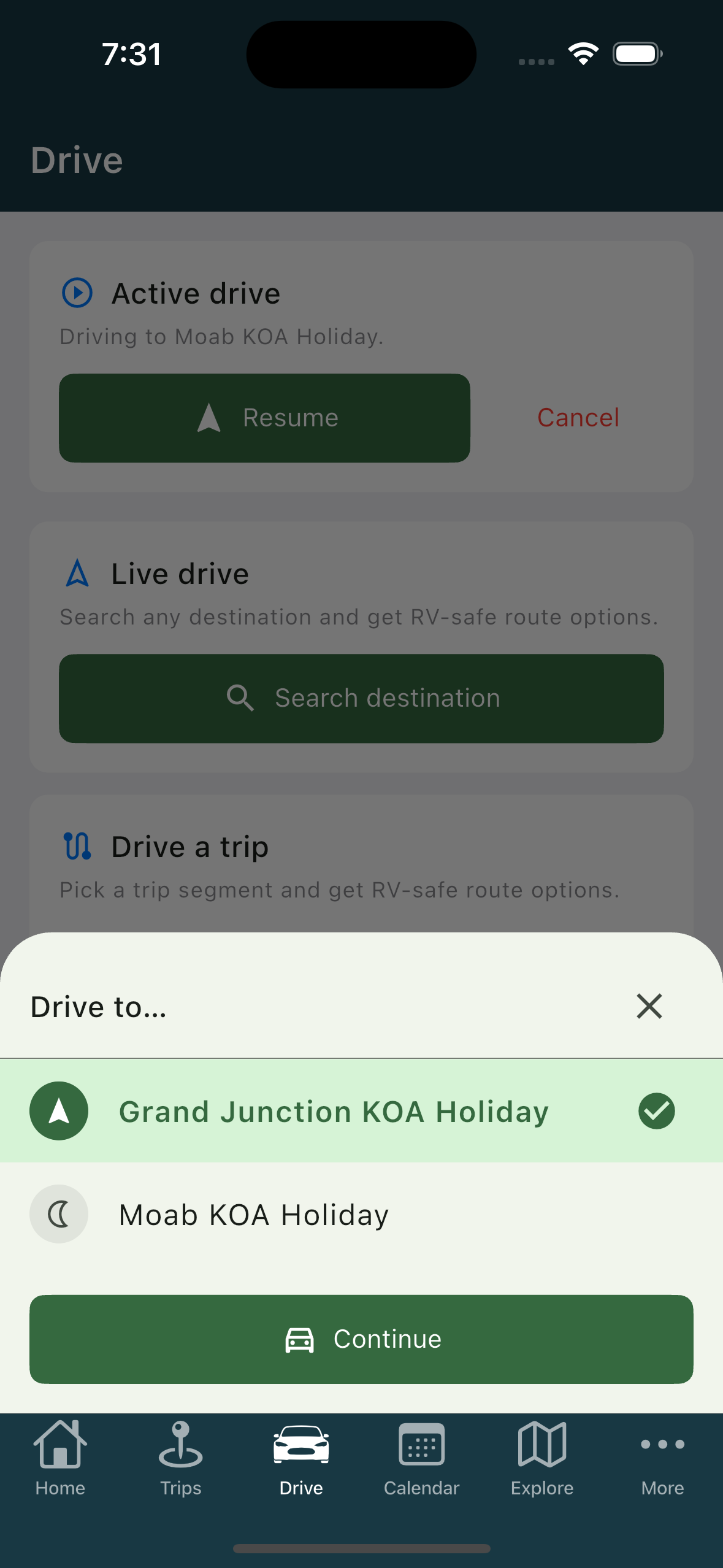
Pick where you are driving to
- Pick your trip from the Drive tab. The Drive to… screen lists the places you could drive to next, which are your overnight stops plus the final destination.
- Choose one and tap Continue.
Choose which stops to hit
Next comes Planning to stop here?, a list of the planned stops on the way. They are all switched on by default. Switch off any you intend to skip, then tap Continue.
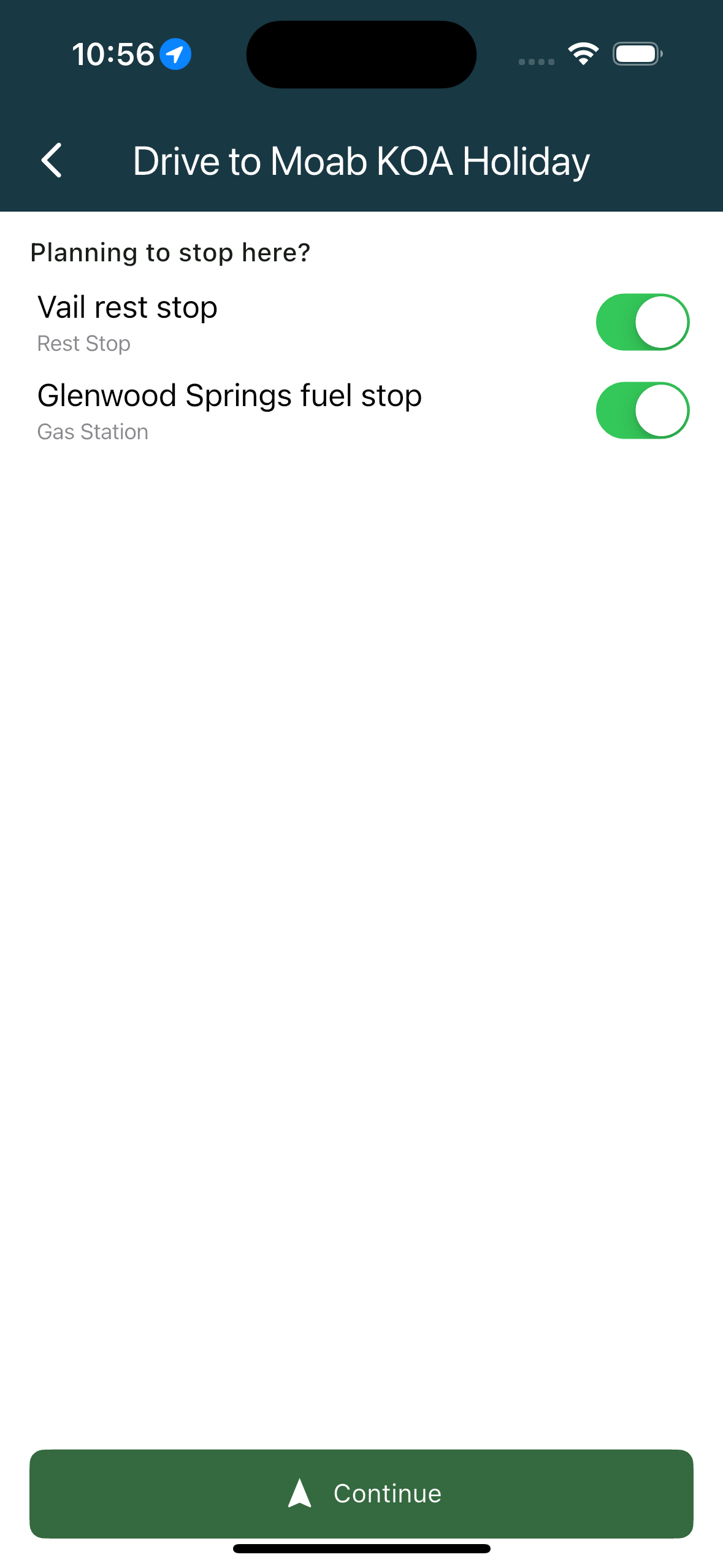
If the leg has no stops on the way, this screen is skipped and guidance starts.
Arriving along the way
When you reach a stop on the way, a card says You've arrived! with Next: the following stop and a Start next leg button. Nothing advances on its own, which is the whole point: you choose when to roll again.
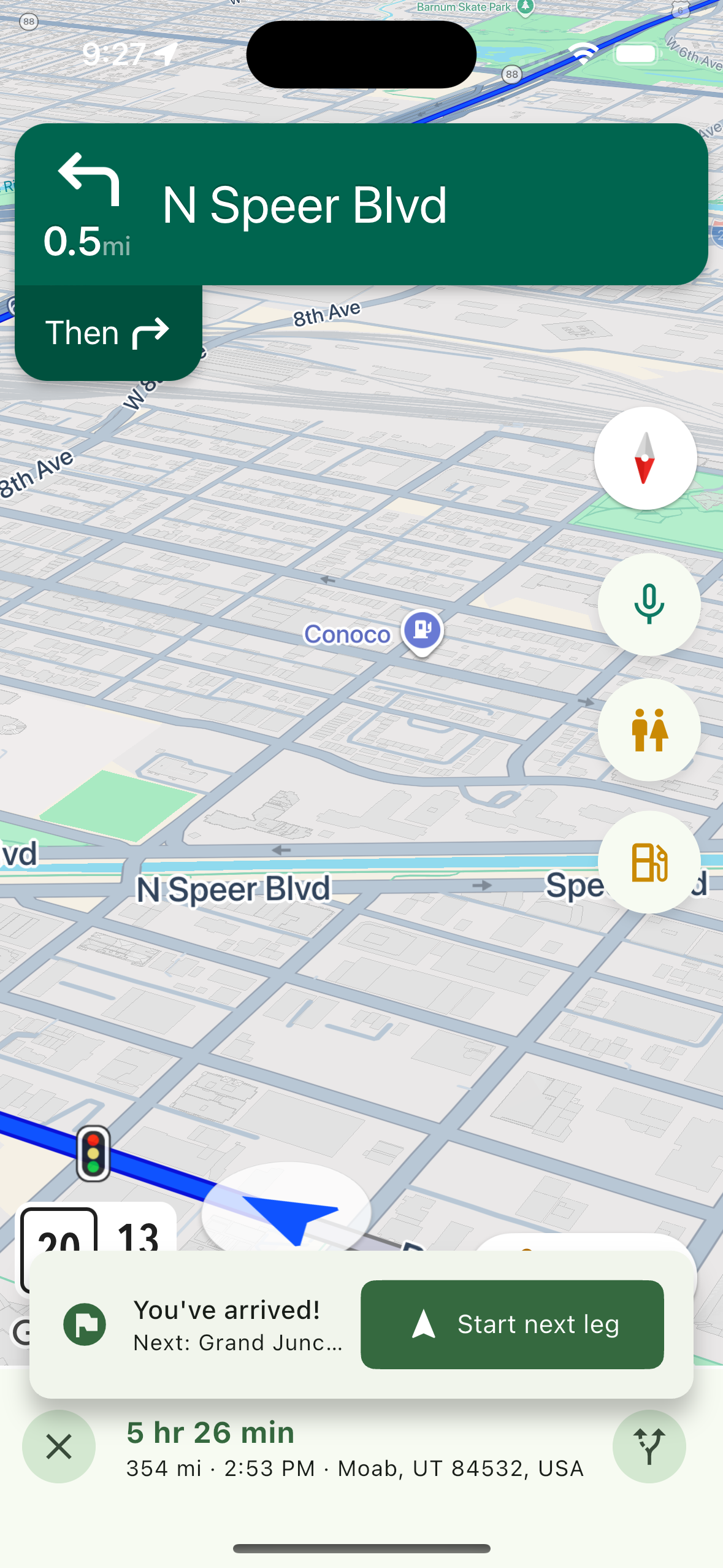
Arriving at the final destination completes the drive and says so.
If your location isn't ready
Without a location fix the flow stops with "Location needed" and asks you to allow location access.
Related
- Starting a drive
- Reading the drive screen
- Picking up a drive you left
- Creating a trip
- Choosing between route options
Was this article helpful?
That’s Great!
Thank you for your feedback
Sorry! We couldn't be helpful
Thank you for your feedback
Feedback sent
We appreciate your effort and will try to fix the article