Each place you sleep has a stay: when you get there, how many nights you stay, and when you leave. Setting the nights is how you tell the planner how long to hold you at a stop.
Arrival and check-in are not the same
This is the part that catches people out, so read it slowly. Arrival is the day the route gets you to a stop. Check-in is the date on your reservation. They can be different, and a stop's check-in is counted from that stop's own arrival date, not from the day the whole trip begins. So a check-in "day 2" means two days after you reach that stop, not day two of the trip.
On the web
The editor shows Arrives, Departs and Nights. Change the number of nights and the departure date moves with it, because departure is simply arrival plus the nights you set.
In the app
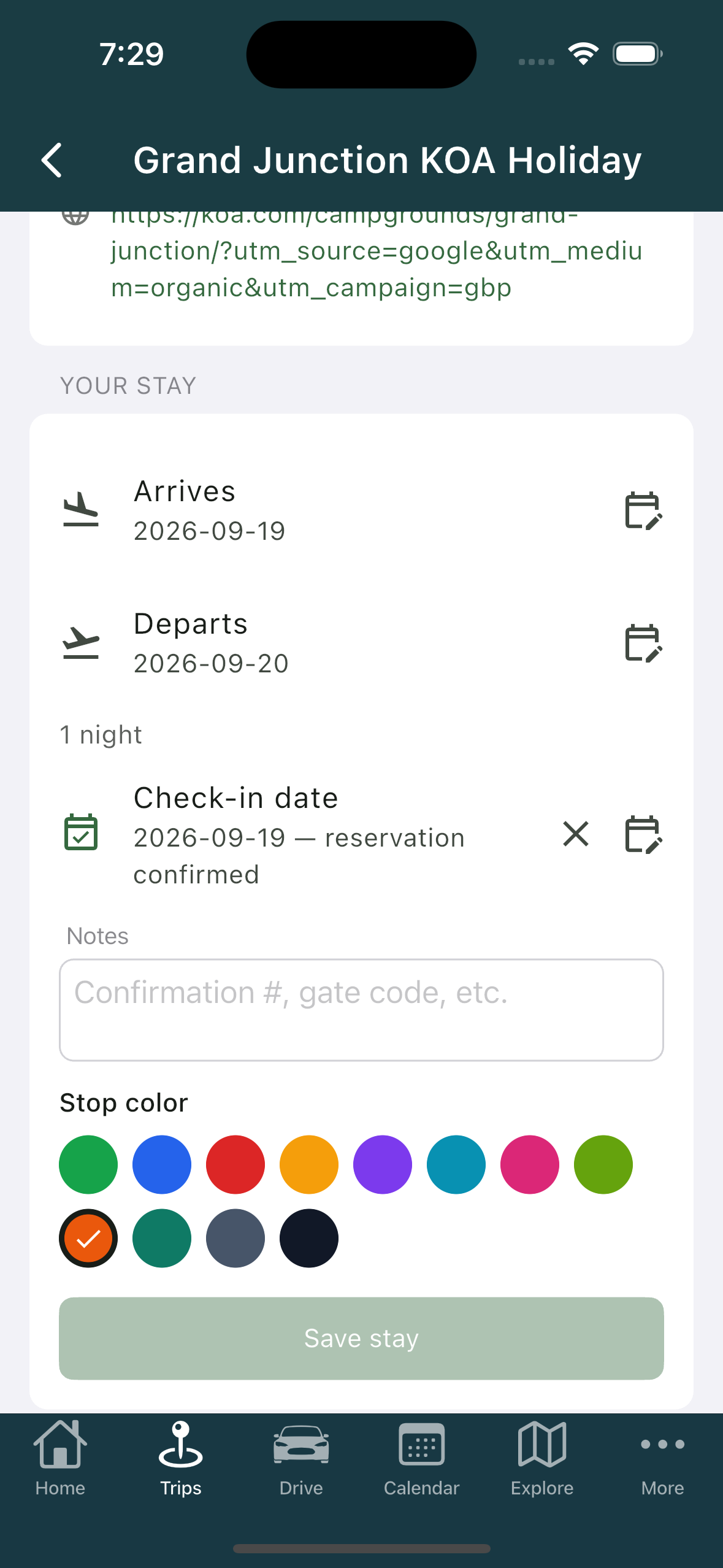
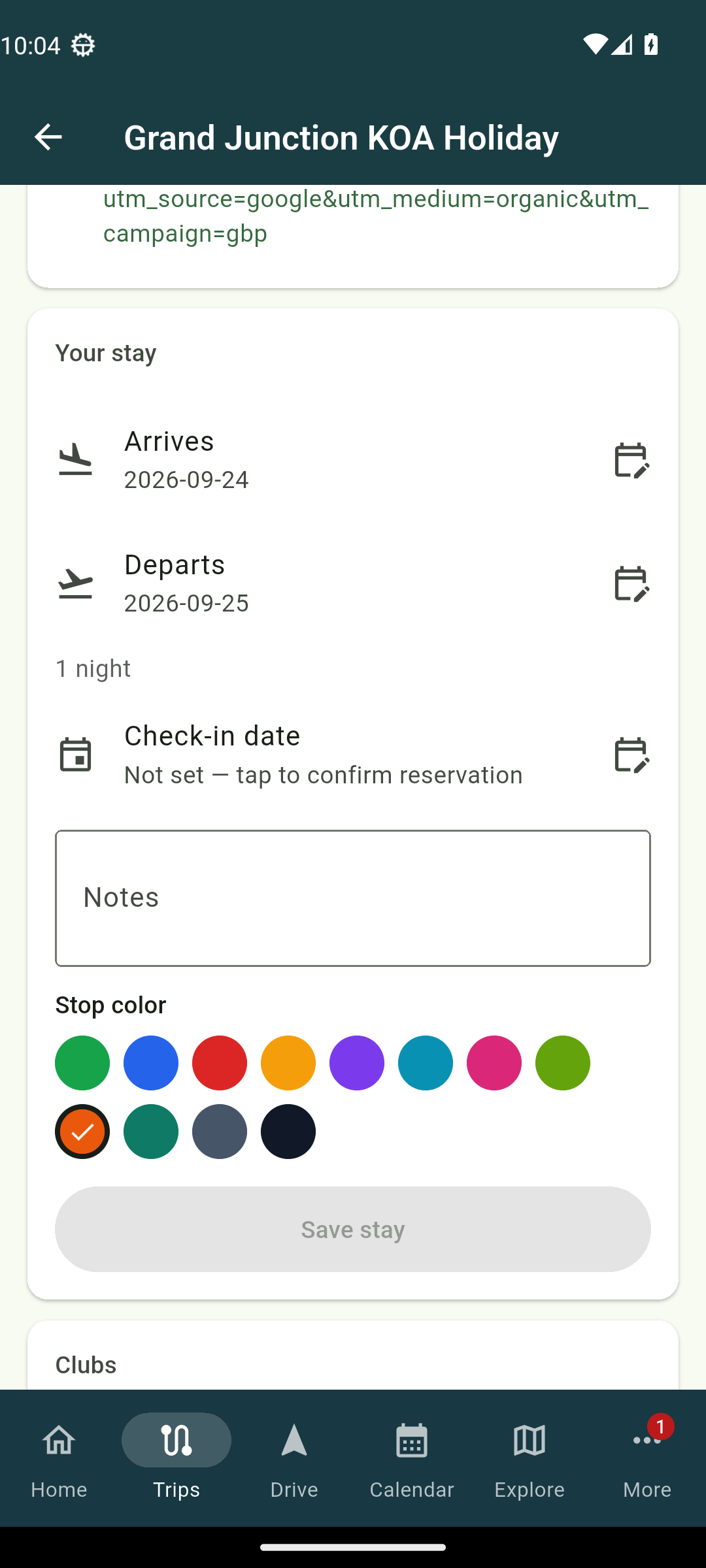
The stop screen groups this under Your stay, with Arrives, Departs, Nights, Check-in date, Notes, and Stop color. Make your changes and tap Save stay.
When a stop is booked
A stop counts as having a confirmed reservation once it has a check-in date. There is no separate box to tick, just the check-in date itself.
If a date will not fit
Your stops sit in order, so a stop's arrival has to land between the stays on either side of it. If you type an arrival date that does not fit, the change is refused and the field goes back to what it was. It has not saved silently, it has declined, so give the neighbouring stays some room and try again.
Related
- Adding and arranging stops
- Creating a trip
- Archiving a trip, Driving now and Last active
- Where the planner suggests you sleep, and how to pick the park
Was this article helpful?
That’s Great!
Thank you for your feedback
Sorry! We couldn't be helpful
Thank you for your feedback
Feedback sent
We appreciate your effort and will try to fix the article