Every trip carries a status badge that tells you where it is in its life. Two things trip people up, so here they are first: you start a trip yourself with a button, it never starts on its own, and starting a trip does not lock it, you can still edit an active trip.
The five statuses
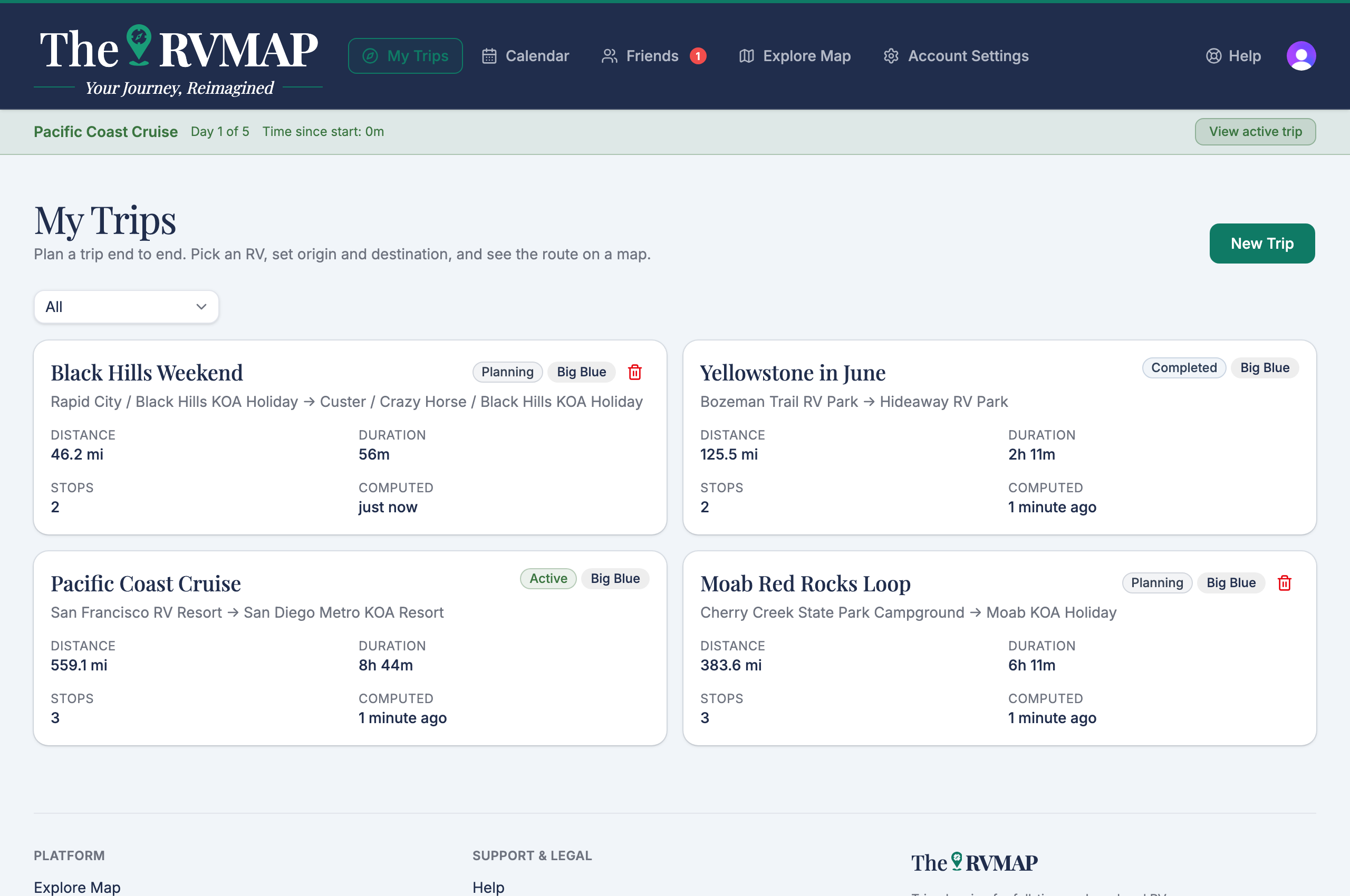
- Planning while you are still building it.
- Planned once you have marked it ready to go.
- Active while you are on the road.
- Completed after you end it.
- Cancelled if you called it off.
Moving between them
Which actions you see depends on the current status:
- From Planning: Mark as Planned and Start trip.
- From Planned: Start trip and Cancel trip.
- From Active: End trip and Cancel trip.
- Completed and Cancelled offer no further actions.
Ending a trip asks you to confirm first, because a completed trip can't be edited or restarted. The confirm button reads Yes, end trip.
Starting is always a button
A trip does not become Active because its departure date arrived. You start it. On the web, on the day a planned trip departs, a banner appears reading "ready to hook and book?" with a Make Active button. Dismissing the banner hides it for that browsing session only, and it does not change the trip.
An Active trip stays fully editable, including extending it, and stays Active while you work on it. Ending the trip is the step from Active to Completed, and that is a button too.
Cancelling a trip
Cancelling asks you to confirm and warns that it cannot be undone. The confirm button reads Yes, cancel trip.
Deleting a trip
On the web, a trip card carries a delete control with a confirmation. You can delete a trip while it is still in Planning or Planned.
Related
- Creating a trip
- Adding and arranging stops
- Extending a trip
- How many trips and stops your plan allows
Was this article helpful?
That’s Great!
Thank you for your feedback
Sorry! We couldn't be helpful
Thank you for your feedback
Feedback sent
We appreciate your effort and will try to fix the article