Whether you need a campground for the night or a fuel stop, a bite to eat, or a store on the way, you can search for it right along your trip and drop the result straight into your plan.
The two tabs
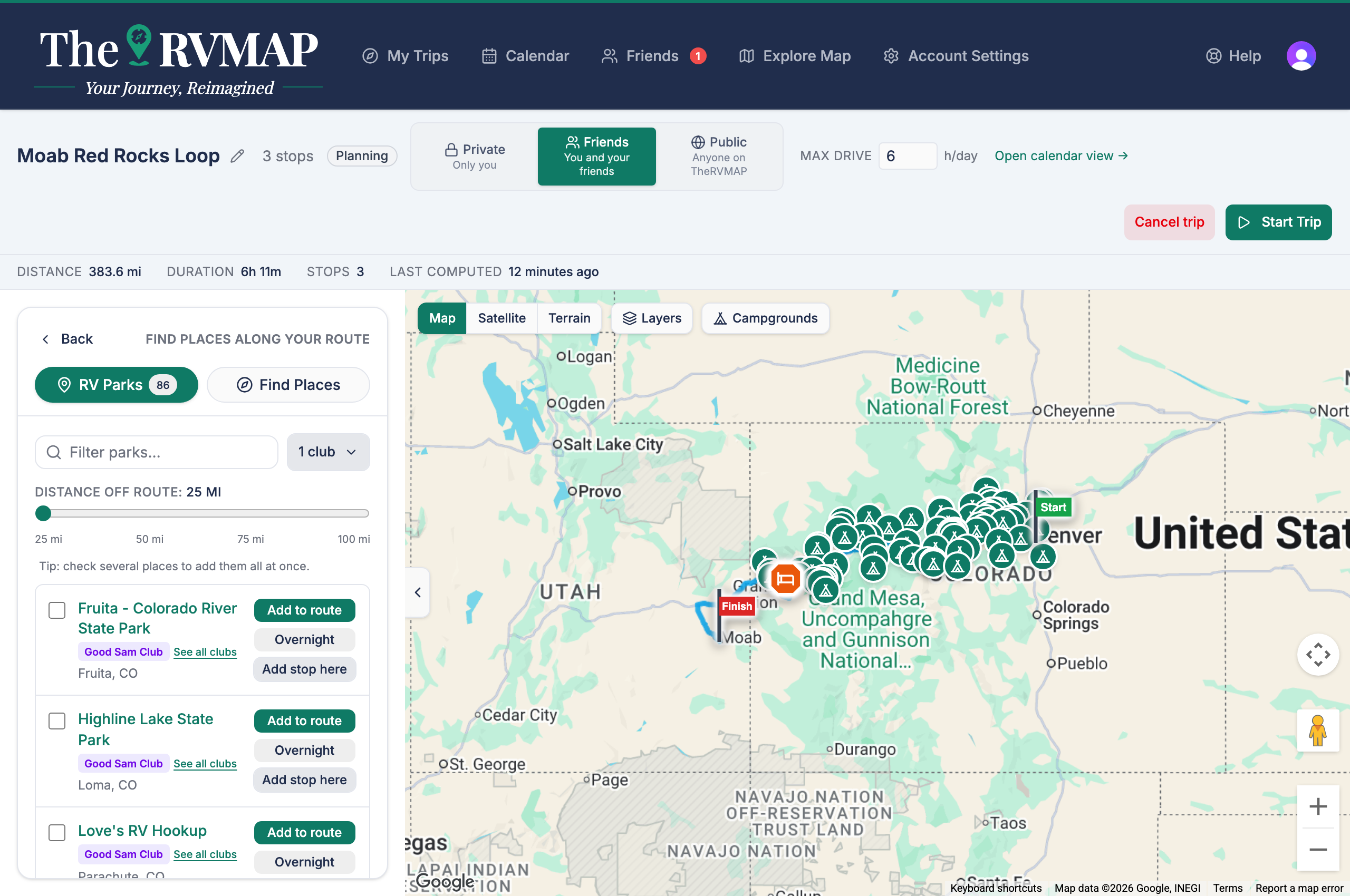
The picker has two tabs:
- RV Parks searches our own campground catalogue.
- Find Places finds other kinds of place, such as fuel, food, and stores.
Searching along the route or near a point
When you search along your route, you get a corridor with an adjustable width, so you can look tight to the road or cast a wider net. When you search near a point you have tapped, you get a radius instead. Widen either one when an area is sparse.
On the RV Parks tab you can filter results to your clubs, so you only see the parks tied to memberships you actually hold.
Adding what you find
A result can be added as a stop, as an overnight, or as a point that only shapes the route without being somewhere you visit. You can select several at once and add them together, which is handy when you are laying out a whole day.
What your plan includes
Searching for campgrounds on the RV Parks tab is on every plan, including Free.
Searching on the Find Places tab, by category or by name, is part of Pro and Elite. Pro includes 50 of these searches a month and Elite has no monthly limit. Free and Basic don't include it. During the public beta, Pro is included for everyone.
Related
- Where the planner suggests you sleep, and how to pick the park
- Map layers and measuring tools on a trip
- Adding and arranging stops
- Choosing between route options
Was this article helpful?
That’s Great!
Thank you for your feedback
Sorry! We couldn't be helpful
Thank you for your feedback
Feedback sent
We appreciate your effort and will try to fix the article