When TheRVMAP draws your route, it uses the height, length, width, and weight from your RV profile to steer you away from low clearances and weight limits that would not suit your rig. That is why the numbers on your RV matter, and why the route is built around the rig you picked for the trip.
This is helpful, but it is guidance, not a promise. The mapping data behind a route is not perfect, signs change, and a bridge or a limit can be missed. So the rule is simple: routing helps you plan, and you stay the driver.
When you see the amber banner
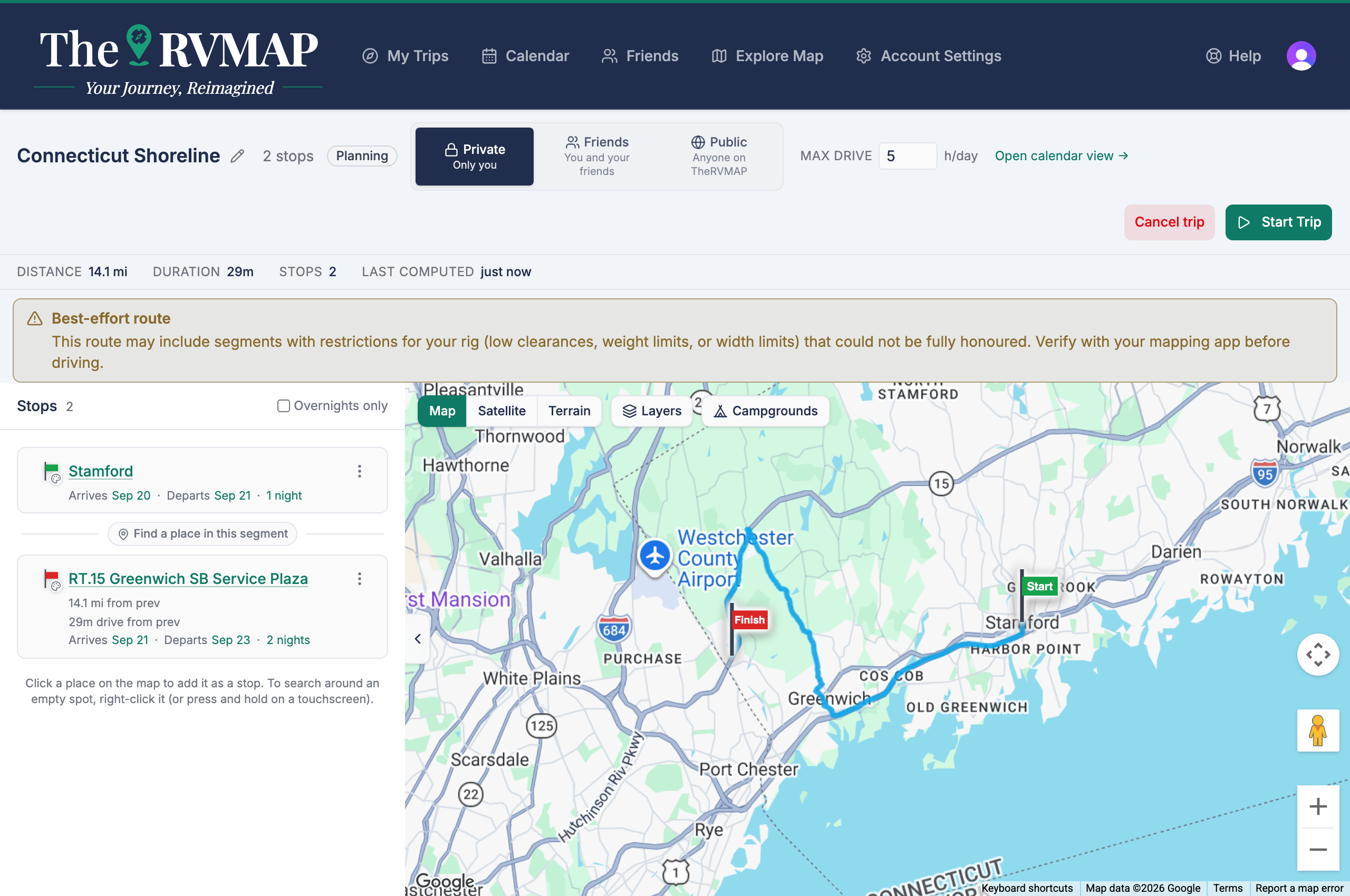
Sometimes Google cannot find a route that honours every restriction on a stretch, and sends back its best effort instead. When that happens, an amber banner appears at the top of the trip and names the affected legs, so you know exactly where to look. In the product's own words, Google couldn't confirm your rig's clearances on that leg, so check low clearances, weight limits and width limits on it before you drive. Any notes Google sent with the route are listed under "Google also notes:" and are shown word for word, but they are not the reason the leg is flagged. Google doesn't say where on the leg the problem is.
The banner clears on its own once a fresh route comes back clean, so if it is showing, treat it as a real heads-up rather than noise.
What you are responsible for
This is the standing rule from the beta agreement, and it is worth reading slowly: routing is guidance, not a guarantee. You remain responsible for verifying clearances, weight limits, and road restrictions, for obeying posted signs, and for keeping your attention on the road.
We will not tell you a route is guaranteed, that it always avoids a hazard, or that it is a safe route with nothing left to check. It is a well-built plan that still needs your eyes.
Related
- Adding your RV (and why the numbers matter)
- Choosing between route options
- Why the trip says "route needs recomputing"
- Finding campgrounds and places along your route
Was this article helpful?
That’s Great!
Thank you for your feedback
Sorry! We couldn't be helpful
Thank you for your feedback
Feedback sent
We appreciate your effort and will try to fix the article