You add a friend by looking them up, or by sharing your own code so they can add you. Then one of you sends a request and the other accepts it.
On the web
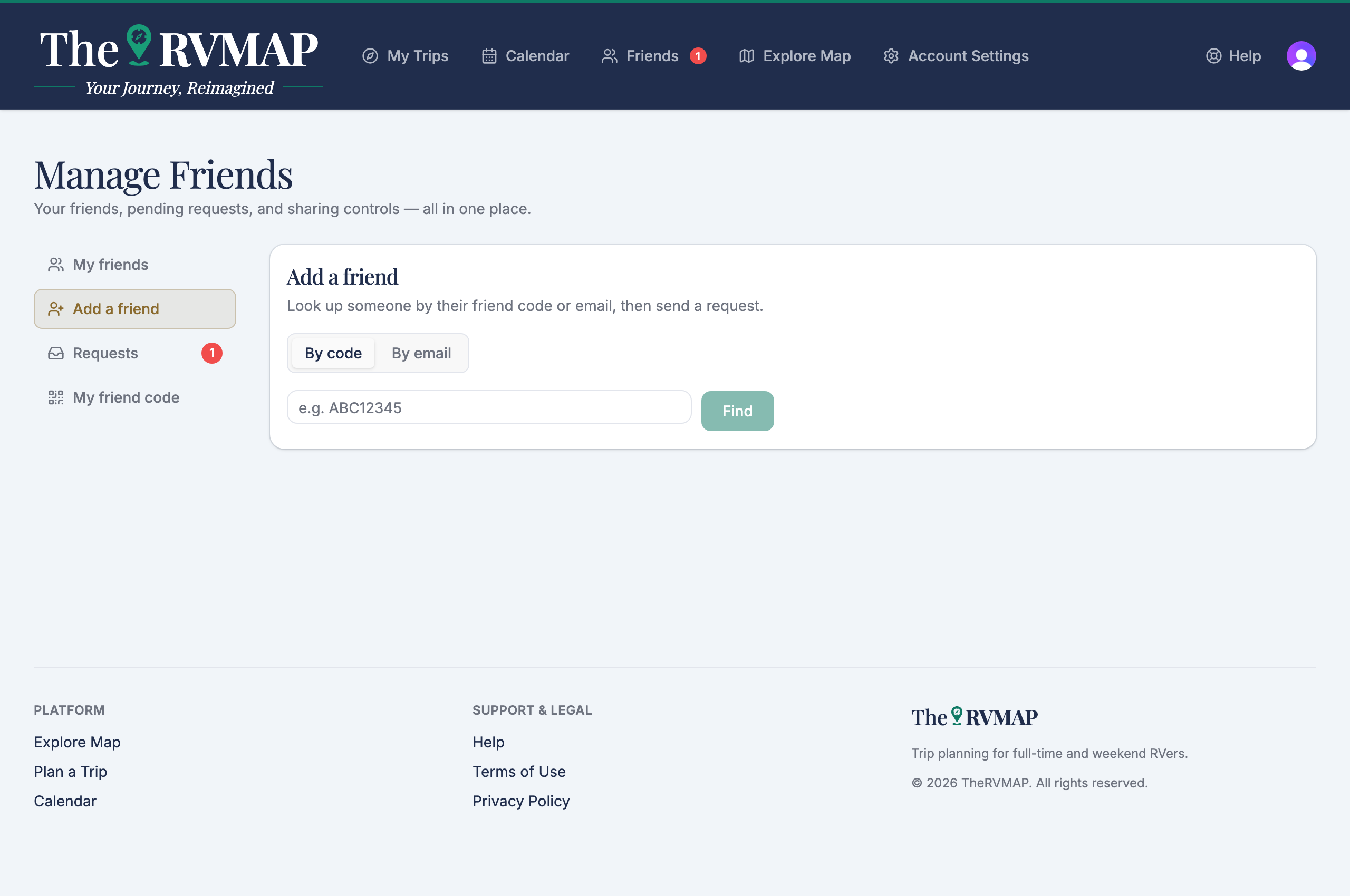
- Open Add a friend.
- Choose By code or By email, type what you have, and choose Find.
- On their result, choose Send request. It changes to Request sent. If you are already connected, it says so instead.
Your own code is under My friend code, with a Code or QR code view. Use Copy to copy it, or Rotate code to replace it. Rotating warns that anyone holding your current code will no longer be able to send you a request, and you get a new code right away.
In the app
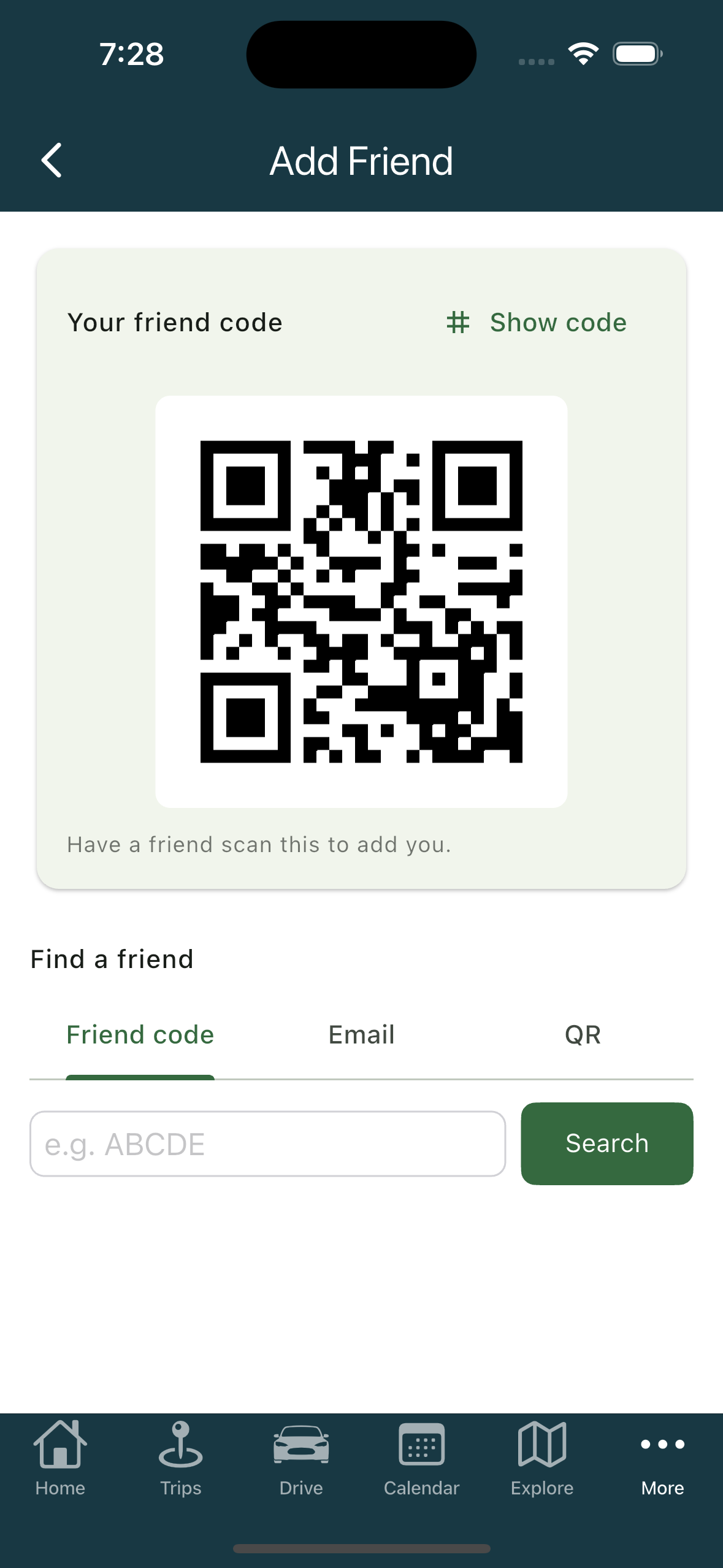
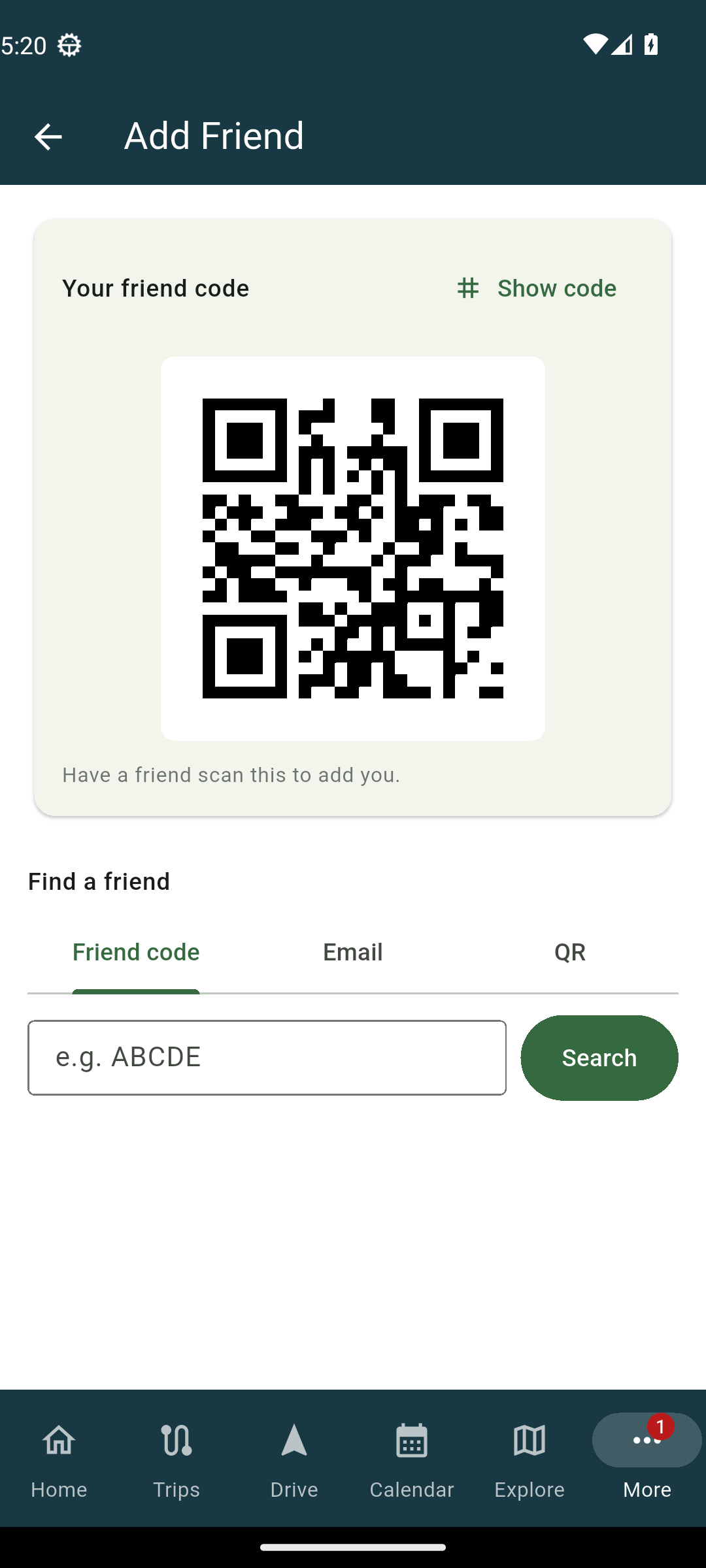
- Open Add Friend.
- Use Friend code or Email to look someone up, then tap Search. There is also a QR tab.
- Send the request. It confirms with Request sent.
Your own code sits in the card at the top of the same screen, under Your friend code, with Show QR and copy.
Two differences worth knowing
- Only the phone can scan someone else's QR code.
- Only the web can rotate your code.
Related
- Accepting and managing friend requests
- Sharing your location with friends
- Seeing where your friends are
- What friends see while you drive
- Creating a trip
Was this article helpful?
That’s Great!
Thank you for your feedback
Sorry! We couldn't be helpful
Thank you for your feedback
Feedback sent
We appreciate your effort and will try to fix the article