A live link lets someone follow you without an account and without the app. It always opens in a web browser, so it works for family who do not use TheRVMAP.
Creating a link
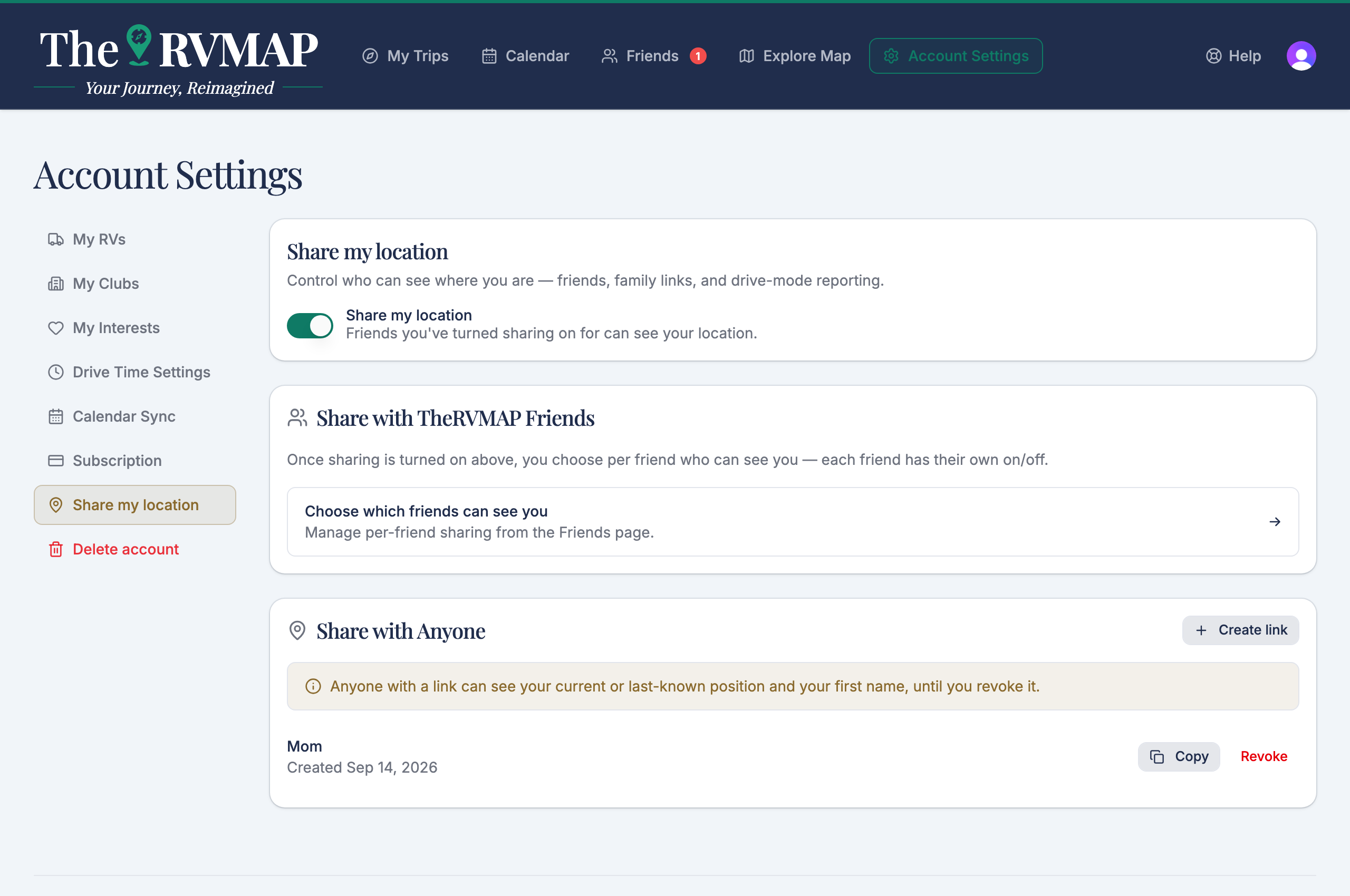
Use Share with Anyone to create a link. Give it a label so you remember who it is for, like a name. A link with no label shows as Family link.
On the web
The web offers Copy and Revoke for each link.
In the app
The app adds Share, which opens your phone's system share sheet so you can send the link by message or email. There is no phone viewer page: the link always opens the website.
What the person sees
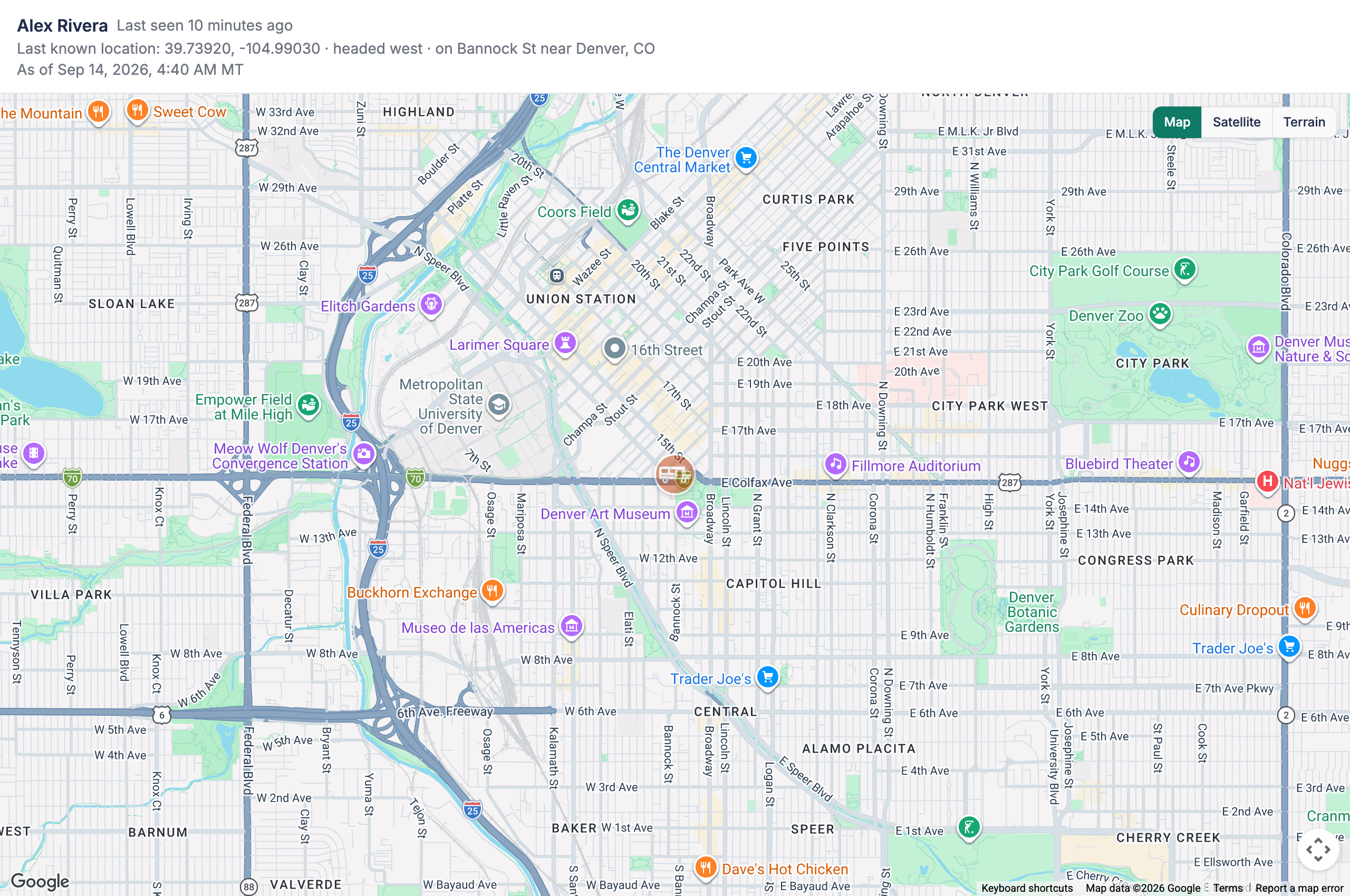
They see your first name, whether you are live or when you were last seen, your position, sometimes the road and town, and the time in the timezone where the RV is. If you are on an active trip, they see the route too.
Turning a link off
Choose Revoke and the link stops working right away. The page then tells the visitor that the person may have turned off sharing, or that the link has expired.
If you have never reported a position yet, the page tells the visitor to check back, and it updates itself once you do.
A note on the master switch
The Share my location master switch pauses these links too. Turn it off and links go quiet along with everything else. Revoke stays available even while sharing is off, so you can retire a link any time.
Related
- Sharing your location with friends
- Seeing where your friends are
- What friends see while you drive
- Creating a trip
Was this article helpful?
That’s Great!
Thank you for your feedback
Sorry! We couldn't be helpful
Thank you for your feedback
Feedback sent
We appreciate your effort and will try to fix the article