Voice is the hands-free way to change your drive without touching the keyboard. There is no wake word to remember; you tap the microphone when you want it.
Drive mode is part of the Basic plan or higher; without a subscription you'll see a card that reads "Turn-by-turn RV-safe navigation requires a Basic subscription or higher" with a See plans button. During the public beta, Pro is included for everyone, so drive mode is available.
What it understands
Two kinds of thing.
- Going somewhere. "Navigate to", "take me to", "drive to", "go to", "directions to", "route me to" and similar, followed by where you want to go.
- Finding something ahead. "Find gas" or "find a rest stop ahead", and the words restroom, bathroom, rest area, fuel, diesel, truck stop and travel center.
It is forgiving. Fillers like "hey", "ok", "please" and "can you" are ignored, and a category word anywhere in the sentence counts, so "I need gas" and "any truck stops coming up?" both work.
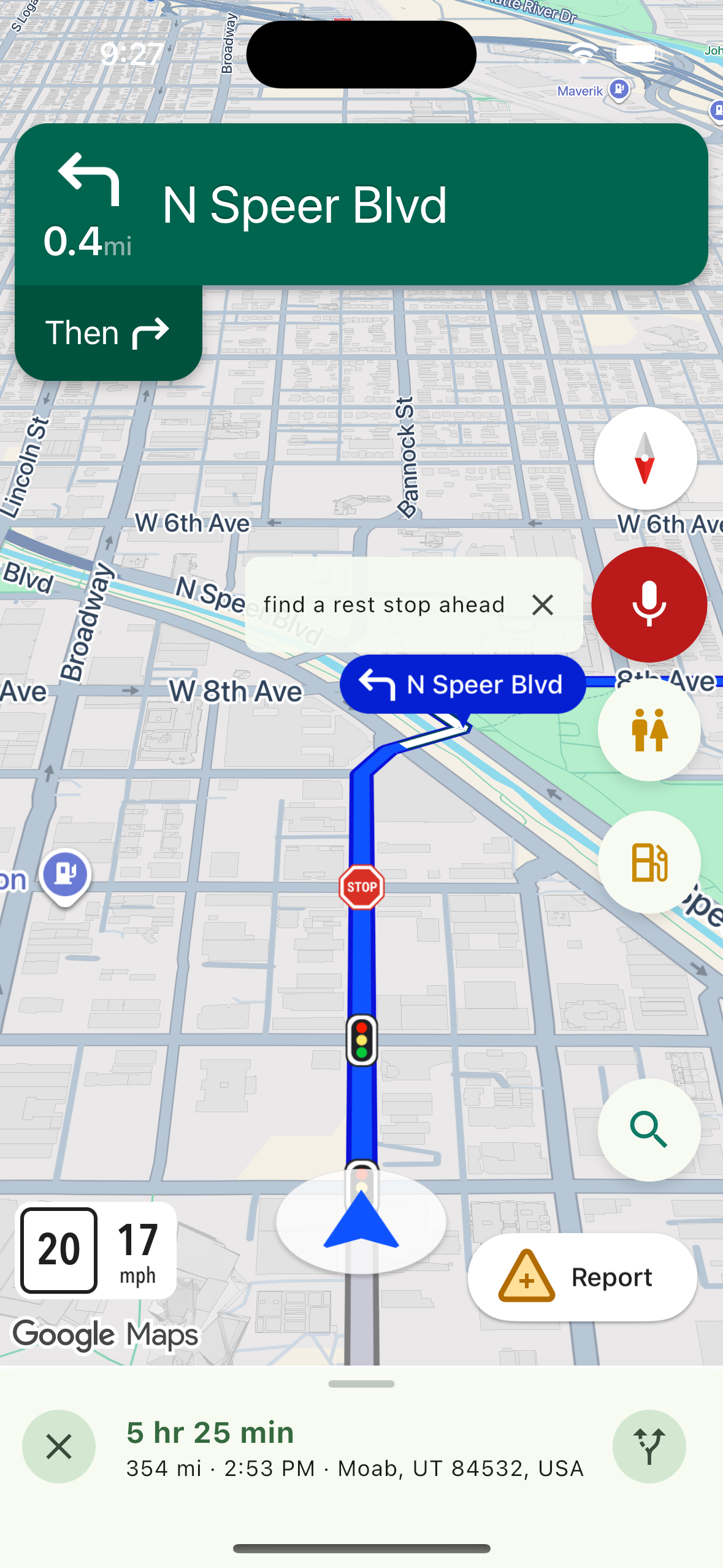
How a listening session ends
While it listens, spoken turn guidance is muted so it does not talk over you. There are three ways to finish:
- Tap the microphone again to run what it already heard.
- Tap the microphone with nothing heard to cancel.
- Tap Cancel on the transcript bubble to cancel.
What happens next
An address gives a "Did you mean" list, then the choice to Add as a stop or start a New drive. If it does not understand, it says it can help with navigating to an address or finding gas or a rest stop ahead.
The first time, the microphone needs permission. If it is off, the app says so and points you to Settings.
Related
- Finding a restroom or fuel ahead
- Adding a stop mid-drive
- Reading the drive screen
- Starting a drive
Was this article helpful?
That’s Great!
Thank you for your feedback
Sorry! We couldn't be helpful
Thank you for your feedback
Feedback sent
We appreciate your effort and will try to fix the article